Observations, inspections, incidents and action plans.
Observations
WhereSafety → Observations
PlanPro
WhoOwner, project managers and superintendents write; guests can read
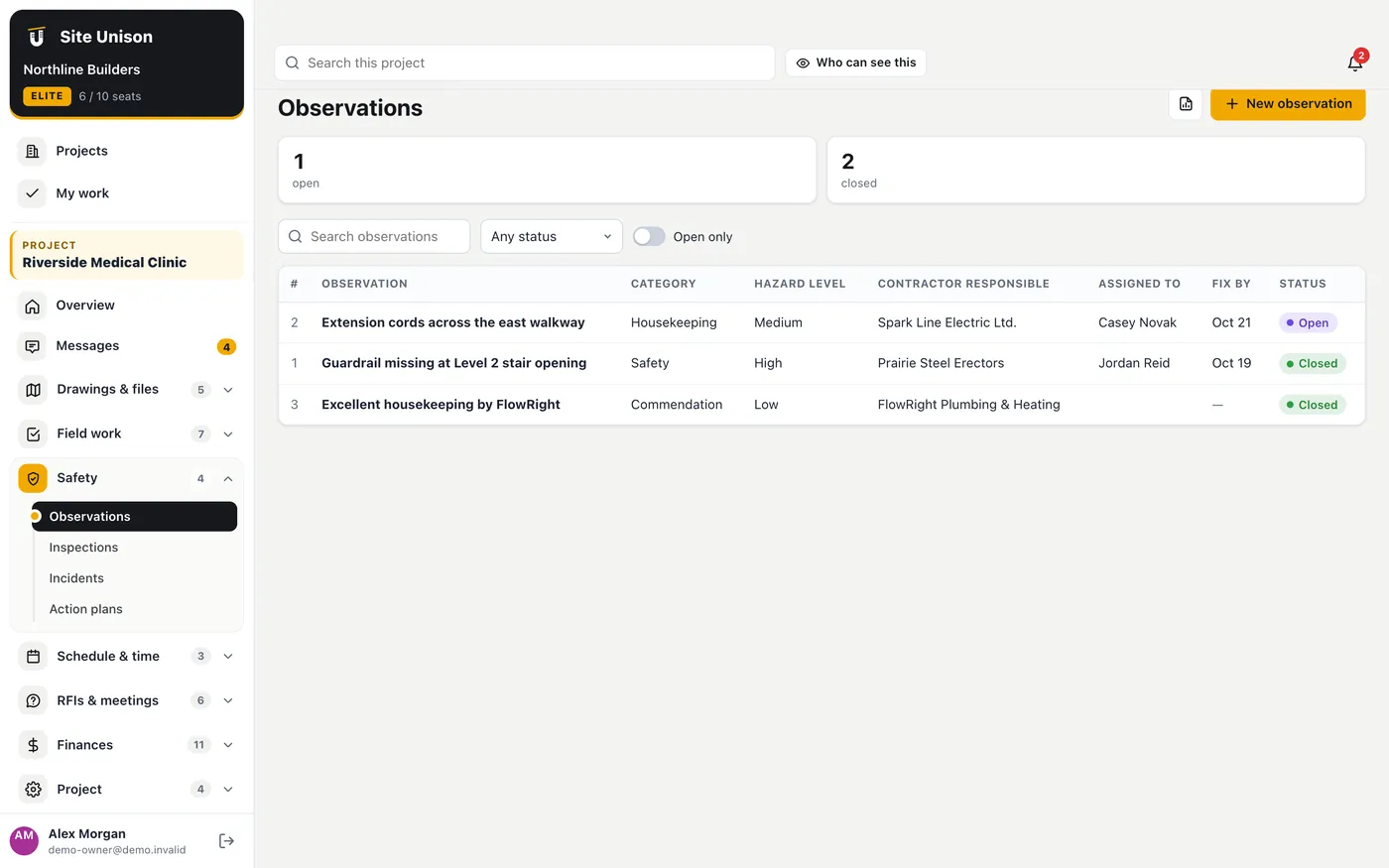
Log safety and housekeeping observations with a hazard level, the company responsible, a photo and a fix-by date. Commendations can be logged too.
How to use it
Open Observations and click New observation.
Choose the category and hazard level, the company, location and fix-by date, and attach a photo. Close it when it is fixed.
Inspections
WhereSafety → Inspections
PlanPro
WhoOwner, project managers and superintendents
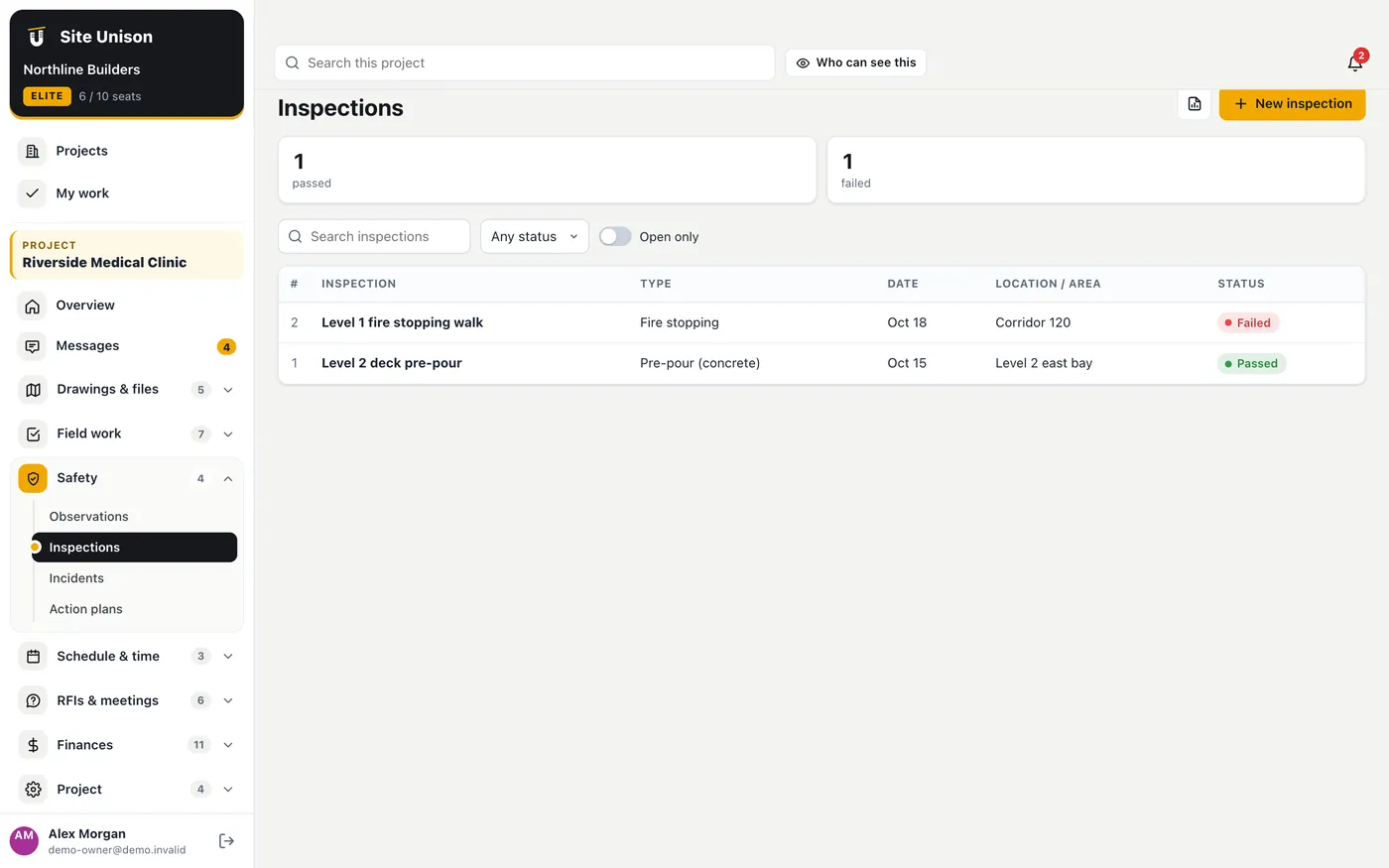
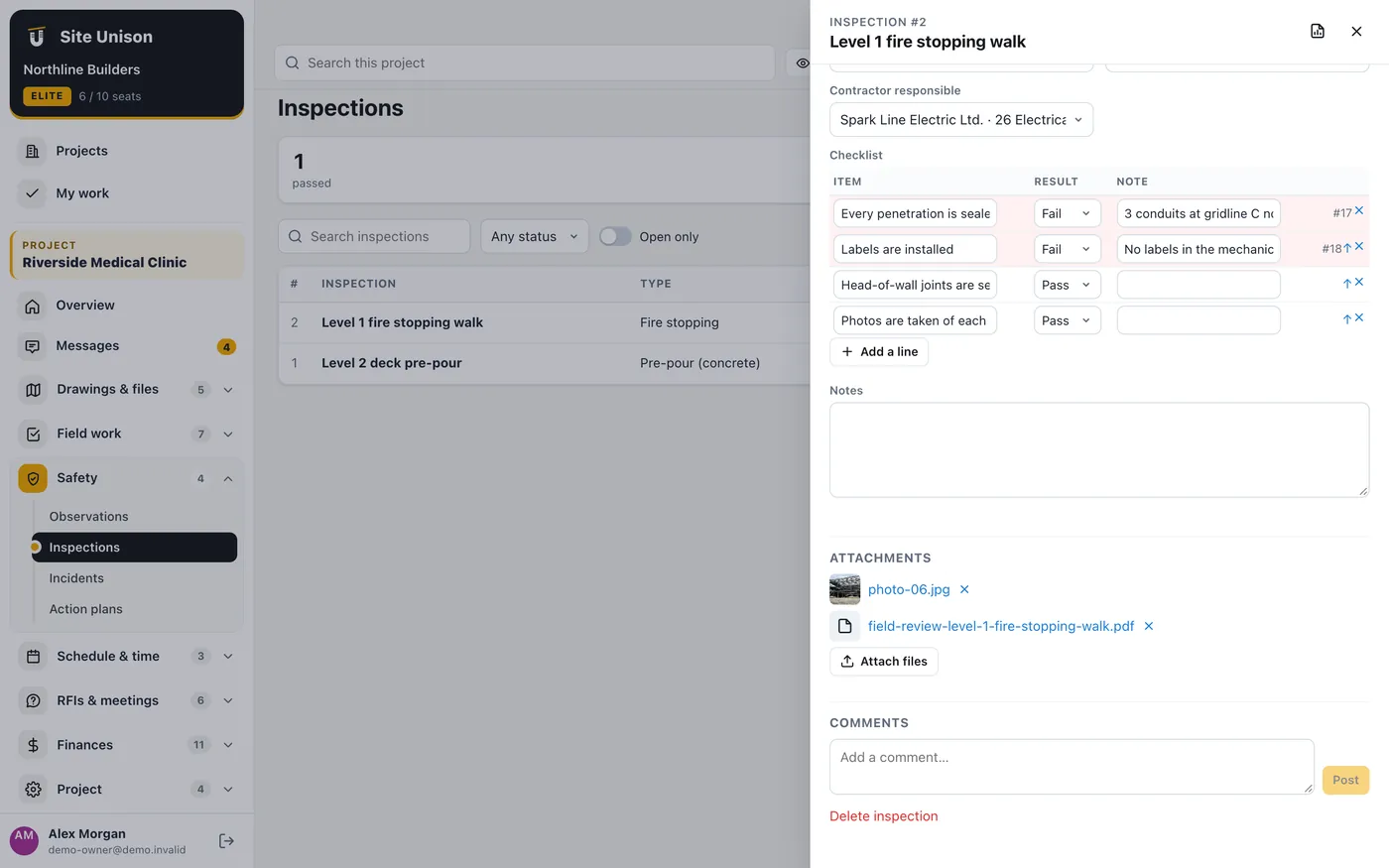
Run inspections from standard checklists (pre-pour, framing, rough-ins, fire stopping, envelope, safety walk, closeout) or your own. Mark each item pass, fail or N/A, and turn failed items into deficiency tasks in one click.
How to use it
Open Inspections, click New inspection and choose the kind; the matching checklist loads.
Mark each item. Click Create tasks for failed items to add a deficiency task for each failure.
Attach the outside inspector's report and set the result.
Incidents
WhereSafety → Incidents
PlanPro
WhoOwner, project managers and superintendents only
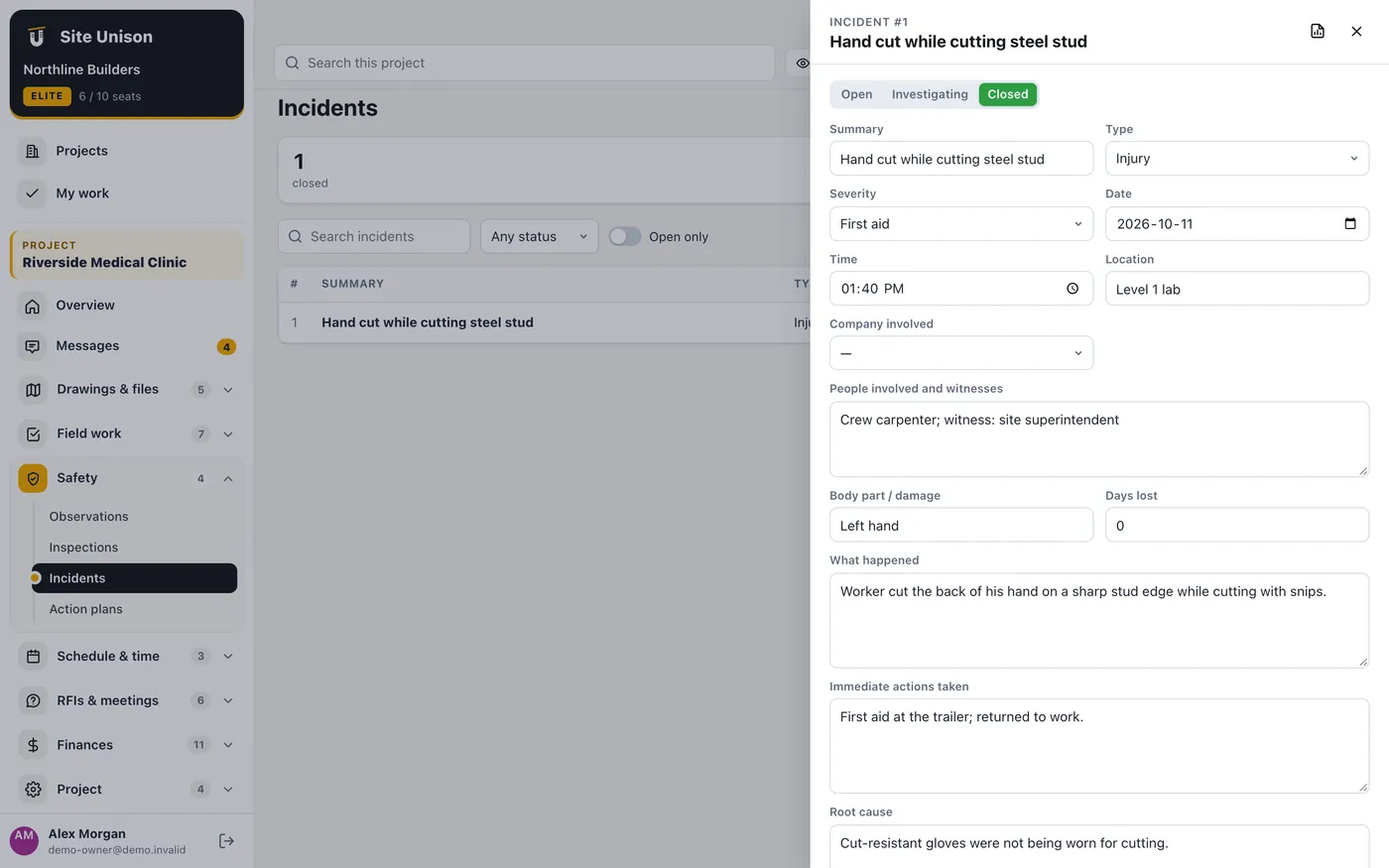
Record incidents and near misses with the people involved, severity, days lost, what happened, root cause and corrective actions, and whether it was reported to WCB or OHS. Incidents are private to the owner, project managers and superintendents.
How to use it
Open Incidents and click New incident.
Fill in what happened, the immediate actions and root cause, and add corrective actions with an owner and due date. Attach the first aid record.
Action plans
WhereSafety → Action plans
PlanPro
WhoOwner, project managers and superintendents
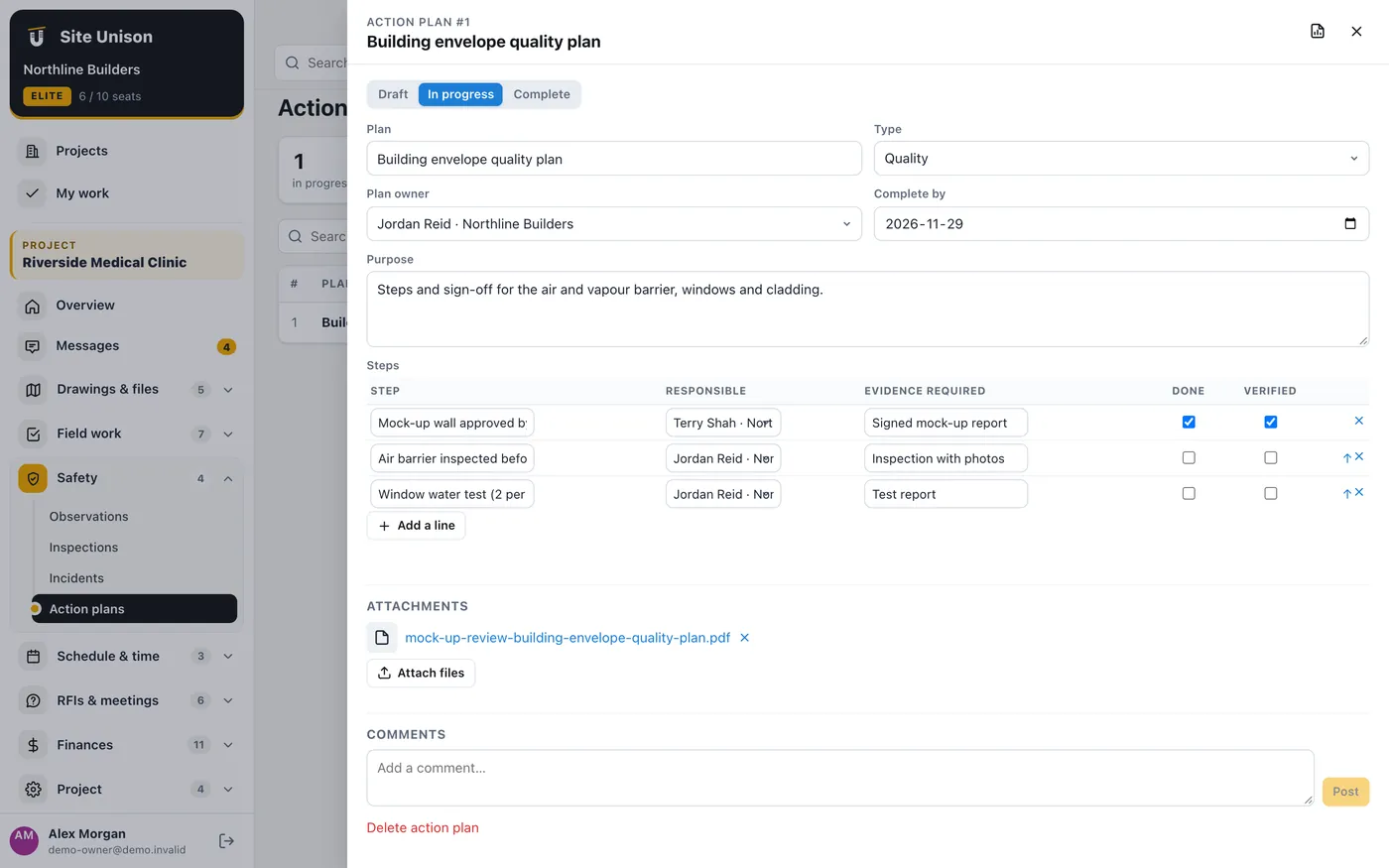
Plan steps for quality, safety, commissioning or turnover, with who is responsible, the evidence needed, done and verified.
How to use it
Open Action plans and add a plan with its steps.
Tick steps as done, attach the evidence and verify them.