
Construction estimating, takeoff and bid management
Price jobs from your own cost catalog and quantities measured on the drawings, send a polished proposal, invite subcontractors to bid online, level the bids side by side and award the subcontract, all in the same app you build in.
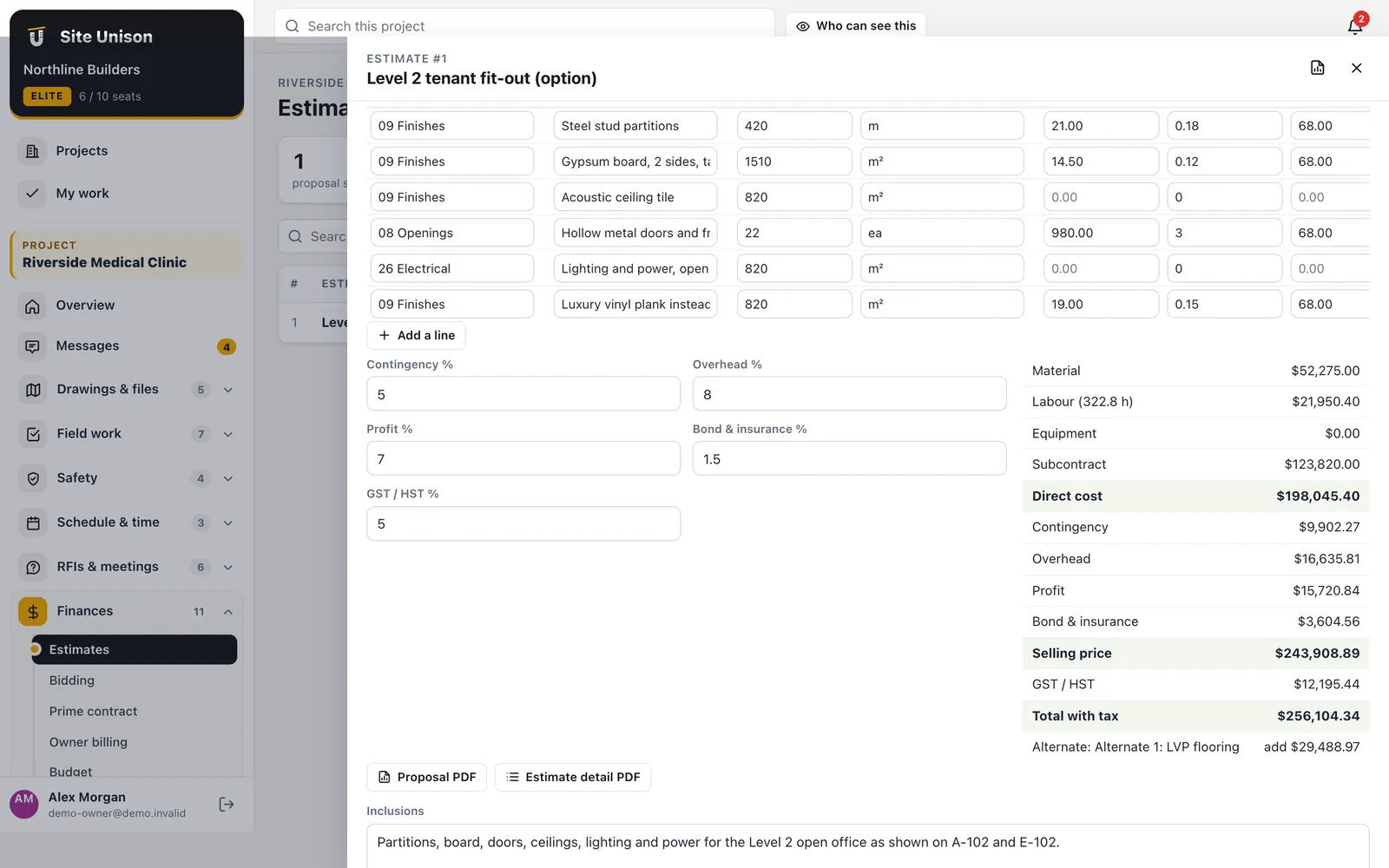
Estimating
Estimates built from your own numbers
Each line carries quantity, unit, material, labour hours and rate, equipment and subcontract cost. Pick items and assemblies from the cost catalog or pull quantities from the plan takeoff, then add contingency, overhead, profit, bond and GST.
- Cost catalog and assemblies. Your unit prices, reused on every estimate.
- Alternates. Price options like "LVP instead of carpet" separately.
- Proposal PDF and revisions. Client-ready proposal by division; save a new revision any time.
- Send to the budget. Turn the accepted estimate into budget lines by division in one click.
Takeoff
Measure it on the drawing
Set the scale on any sheet from a known dimension, then measure runs, areas and counts. Name each takeoff, give it a division, and the totals appear in the estimate's "From plan takeoffs" list.
- Lengths and areas. Metric or feet and inches.
- Find matching symbols. Box one symbol and every match on the sheet is found and counted.
- Count tags. Count D1, EF-2 or any tag across one sheet or the whole set.
Scale from a dimension
Tap both ends of a known length; the sheet is calibrated.
Symbol finder
Matches are shown for you to confirm before saving.
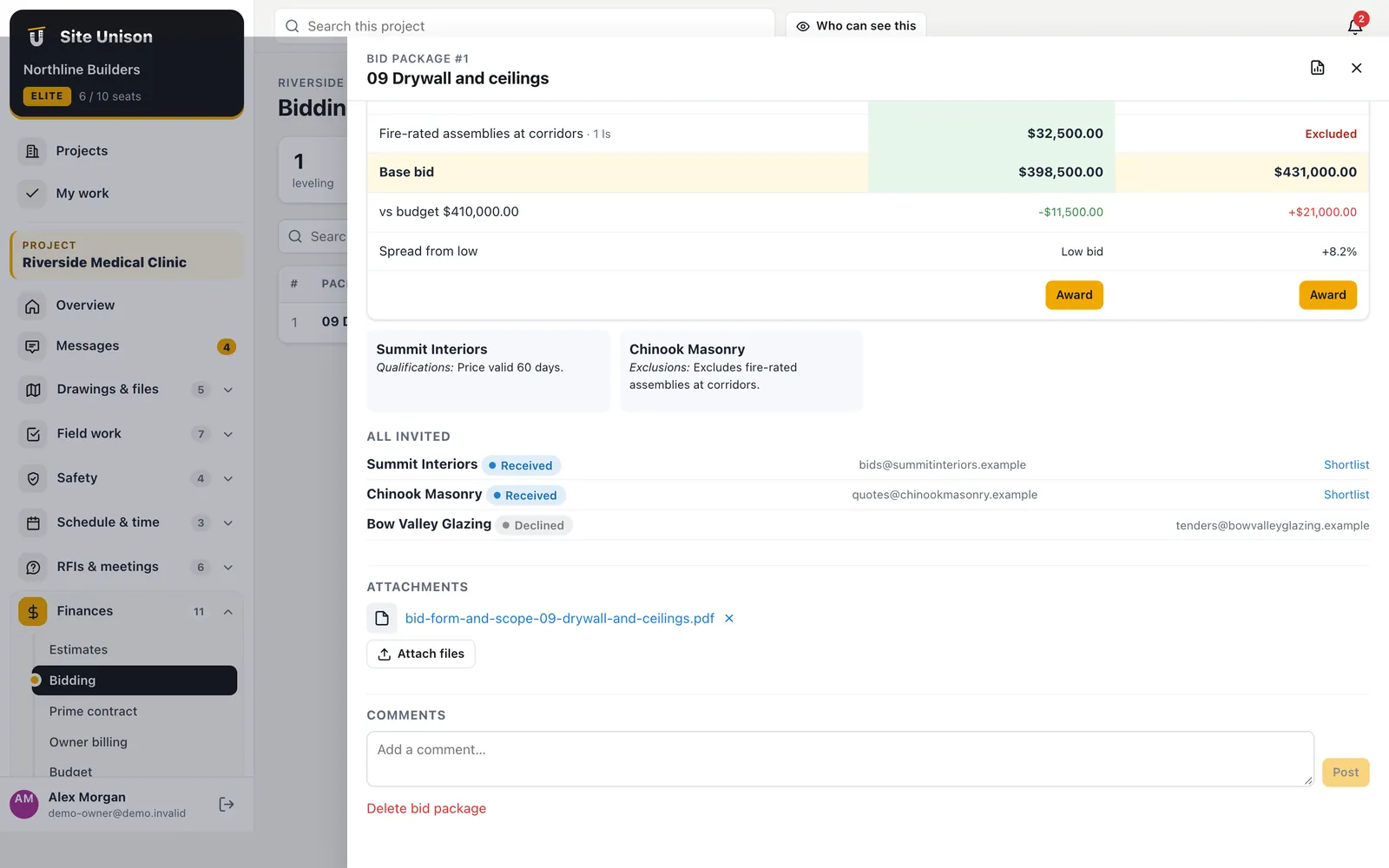
Bidding
Invite, collect and level bids
Build a bid package with the scope, the documents and the items to price, and invite companies from your directory. Each bidder gets a private link to download the documents and submit prices online, or decline. Bids received by phone can be entered by hand.
- Side-by-side leveling. Item prices, exclusions and the spread from the low bid.
- Against your budget. See how each bid compares to the budget for the scope.
- Award to a subcontract. One click creates the draft subcontract with the bid's prices.
Pipeline and partners
A bid board and a prequalified bench
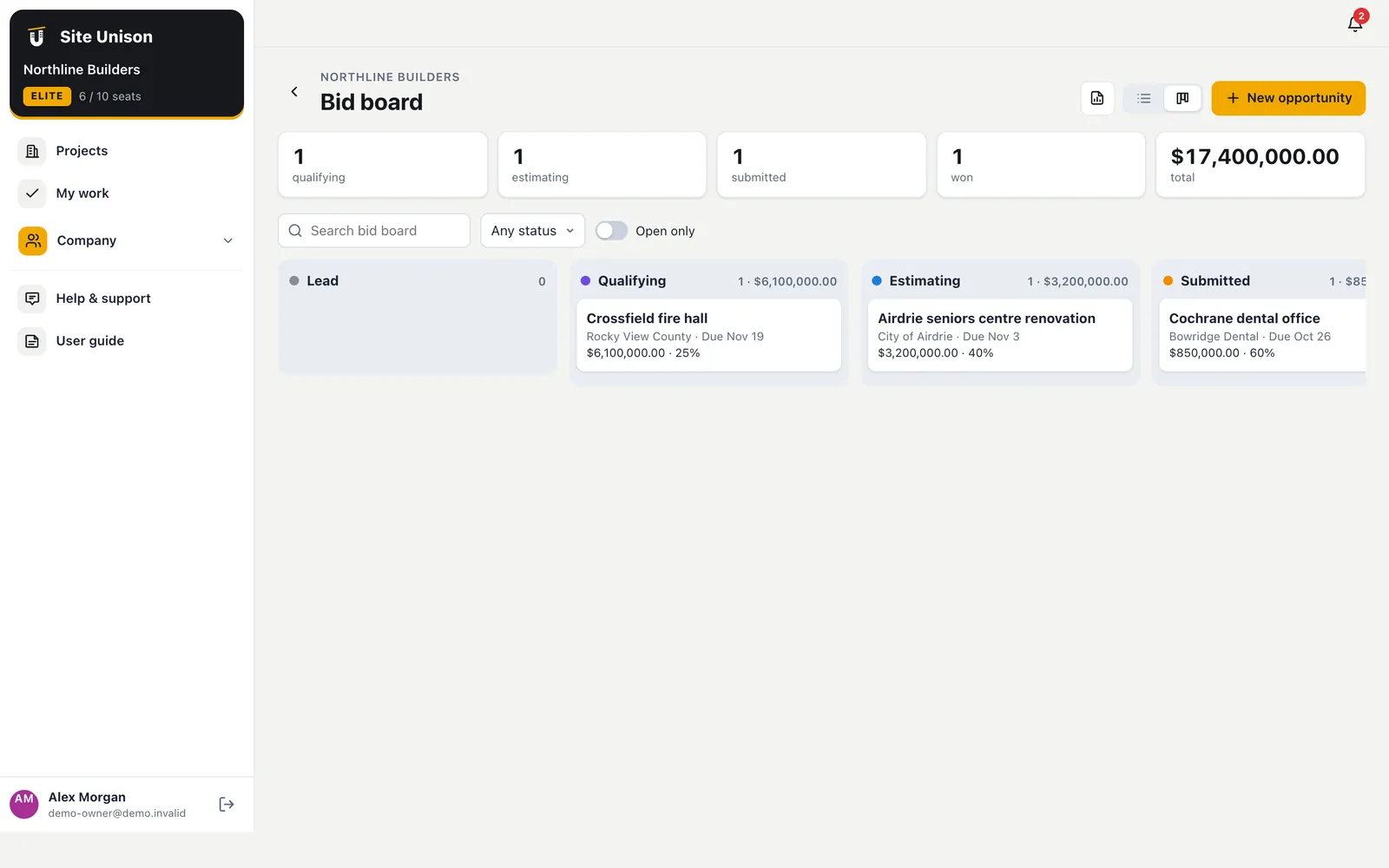
Track every opportunity from lead to won or lost with value, probability and due date, and turn a win into a project. Send trade partners an online prequalification questionnaire that scores experience, bonding, insurance and safety record, with approval expiry dates.
- Bid board. Drag opportunities between stages.
- Prequalification. Scored answers, approval limits and expiry.
- Directory. Insurance and WCB expiry dates on every company.
Estimating jobs from your own numbers
Estimating is fastest from your own cost catalog and quantities measured on the drawings. Every line carries quantity, unit, labour, material and equipment.
Invite subcontractors to bid online, level bids side by side and award the subcontract in the same app you build in.
A quick checklist:
- Build your cost catalog.
- Take off quantities.
- Send the proposal.
- Level and award bids.
Tendering norms are covered by CCDC standard construction contracts. Start free, try the live demo or compare pricing.
Questions
Common questions
Do subcontractors need an account to bid?
No. They receive a private link by email, download the documents and submit their price online. The link expires when bidding closes.
Can I bring my unit prices?
Yes. Add them to the cost catalog with material, labour hours, rates, equipment and subcontract costs, and build assemblies from them.
Does the estimate feed the budget?
Yes. "Send to the budget" creates or updates budget lines by division with the direct cost and contingency.
Is estimating included?
Estimating and bidding are on Elite.
Works with
Related features
Plans, markups & takeoff
Sheets split and titled for you, markups, version compare, and lengths, areas and counts measured right on the drawing.
Learn more →Budget, changes & subcontracts
Budget by division with change events, change orders, subcontracts and POs, committed and actual cost.
Learn more →Contracts, billing & payments
The owner contract, progress billings with holdback and GST, a payment ledger, lien documents and accounting exports.
Learn more →Run your next job in unison.
Start in a minute. The Free plan needs no credit card. Pro and Elite start with 14 days of Elite (estimating, billing, safety and the AI assistant): add a card, nothing is charged until the trial ends, then your plan is charged automatically. Add a sample project to explore first.