
An AI assistant that knows your project
Ask questions about a project in plain words, get the risks worth acting on this week, draft RFIs from rough notes, write the daily log from your notes and today's site photos, and check a submittal against the specification before it goes out.
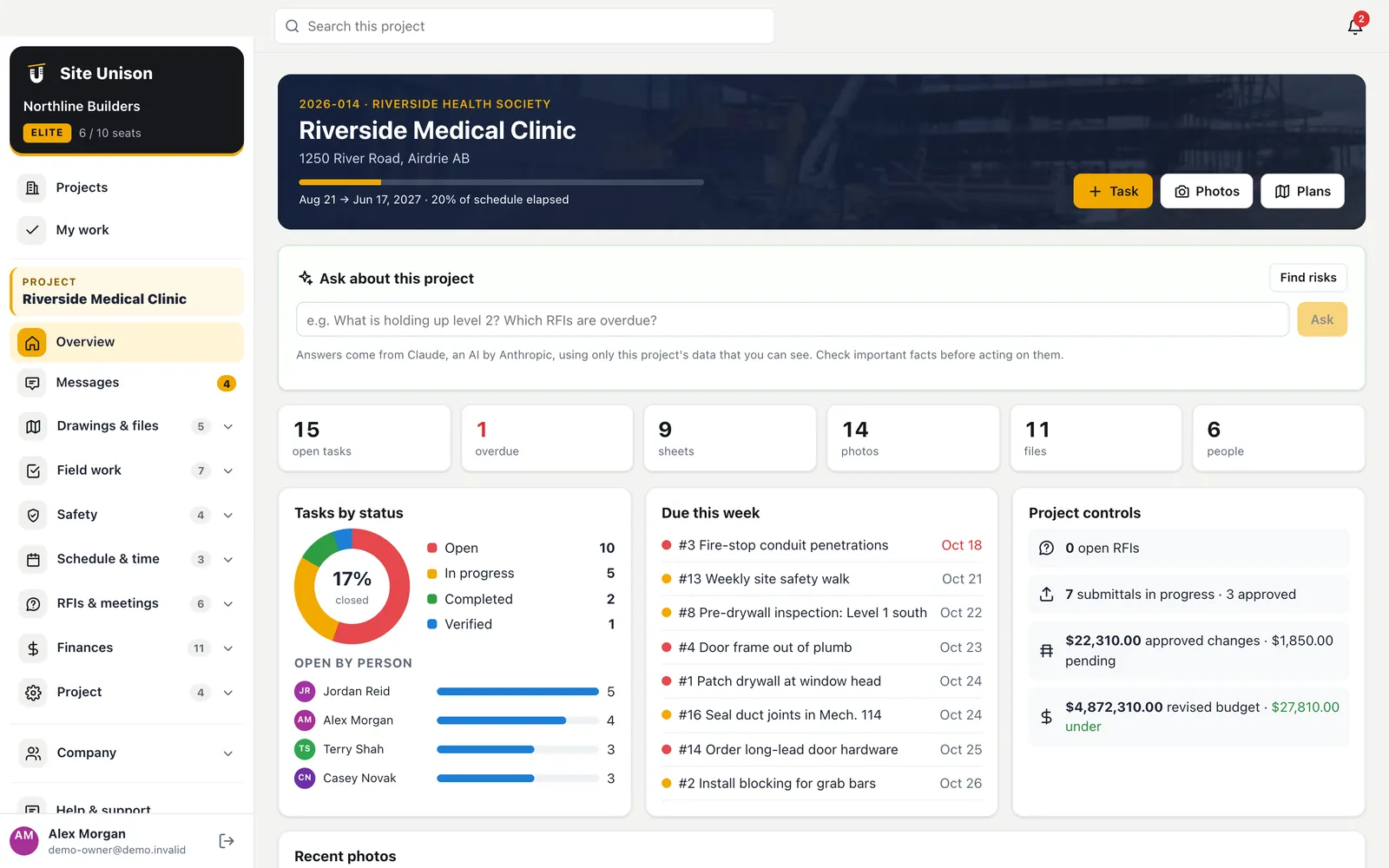
Ask the project
Answers with the item numbers
"What is holding up level 2?" "Which RFIs are overdue and who has them?" The assistant reads the project data you are allowed to see, including the schedule, tasks, RFIs, submittals, daily logs and safety, and answers with the task and RFI numbers so you can act.
- Find risks. Three to seven issues with why they matter and a next step.
- Only what you can see. Budgets are included only for owners and project managers.
- Plain language. No reports to build first.
Daily logs
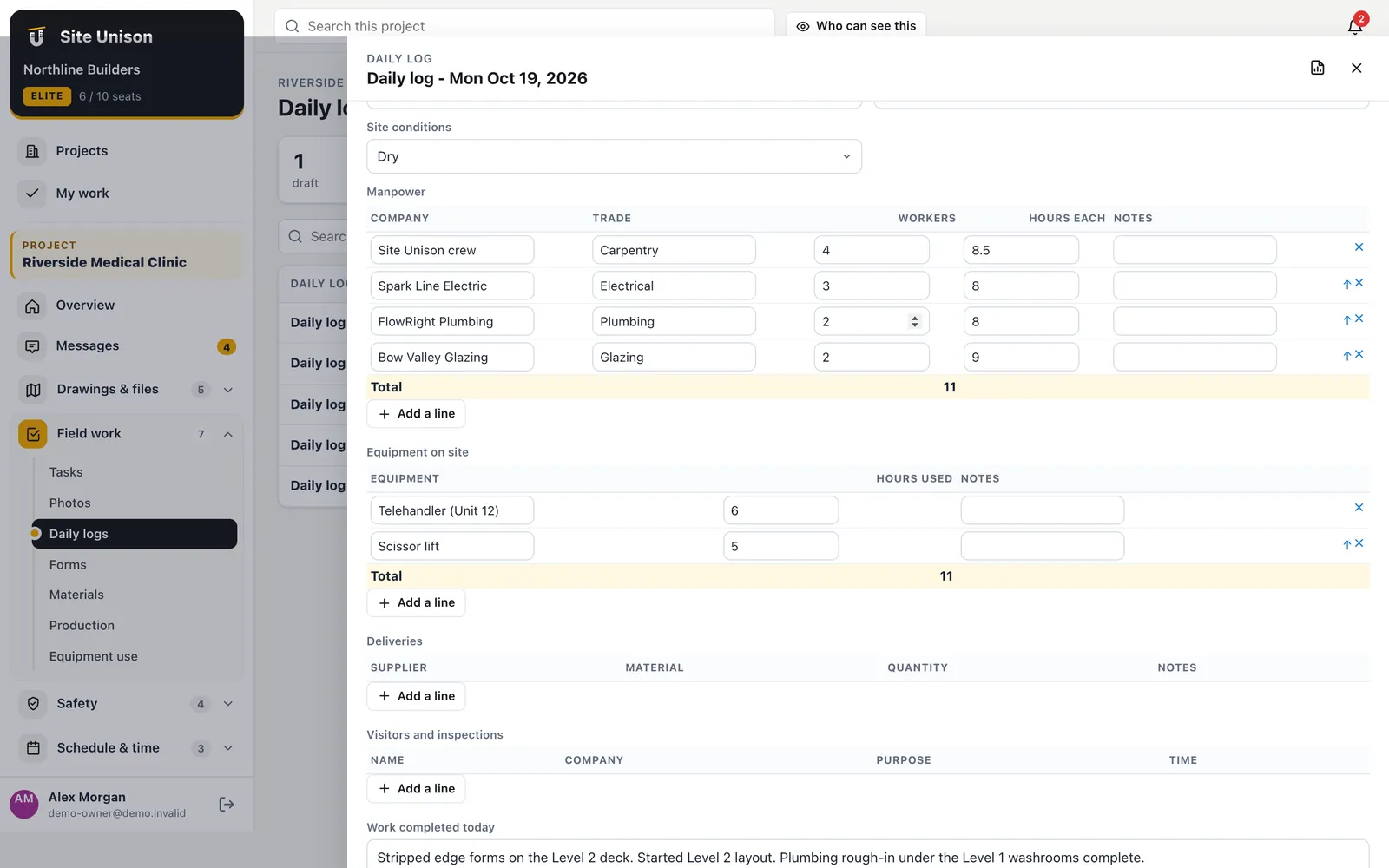
The daily log, written from your notes
Type or dictate a few lines about the day. The assistant reads them with today's site photos, timesheets and closed tasks and fills in work completed, delays, safety, crews, equipment, deliveries and visitors. Fields you already filled in are kept.
- Uses today's photos. What the pictures clearly show, it can describe.
- Never invents counts. Only facts from your notes and records.
- You review and submit. The log stays a draft until you do.
Better RFIs
Clear questions get faster answers.
Spec-aware
Reads the actual section in your project manual.
RFIs and submittals
Drafts and checks in seconds
Describe the conflict in your own words and get a clear RFI with a subject, the question and a proposed solution, citing the drawing and spec section. On a submittal, the assistant compares the attached product data with the specification and lists what is met, missing or not shown.
- RFI drafts. From rough notes to a clear question.
- Submittal checks. Requirement by requirement, quoting the spec.
- The consultant decides. The assistant prepares; people approve.
Using an AI assistant on a construction project
An AI assistant helps most when it reads your real project. Ask what is holding up a level and get answers with item numbers.
Draft RFIs from rough notes, write the daily log from today’s photos and check a submittal against the specification.
A quick checklist:
- Ask about the project.
- Review this week’s risks.
- Draft RFIs.
- Check submittals.
Personal information rules still apply: PIPEDA. Start free, try the live demo or compare pricing.
Questions
Common questions
Which AI does Site Unison use?
Claude, by Anthropic. Requests go securely to Anthropic's API, and Anthropic does not train its models on API data by default.
Can it see things I cannot?
No. It only reads the project data your role is allowed to see.
Is there a limit?
Each company has a generous daily allowance on Elite.
Is the AI assistant included?
It is part of Elite.
Works with
Related features
Daily logs & forms
Daily logs with the weather filled in, crews, equipment, deliveries and your own forms. The AI can write the log from your notes.
Learn more →Schedule & critical path
Microsoft Project import and export, task links, the critical path, a forecast finish, a 3-week look-ahead and a 3D build-up.
Learn more →RFIs, submittals & specs
Ball-in-court RFIs, a submittal register built from the spec book, and an AI check of submittals against the spec.
Learn more →Run your next job in unison.
Start in a minute. The Free plan needs no credit card. Pro and Elite start with 14 days of Elite (estimating, billing, safety and the AI assistant): add a card, nothing is charged until the trial ends, then your plan is charged automatically. Add a sample project to explore first.