
A construction schedule with the critical path and a look-ahead
Import your Microsoft Project schedule with its links, or build one here. See the critical path, the float on every task and a forecast finish from actual progress, plan the next three weeks with the look-ahead, and watch the building go up in 3D.
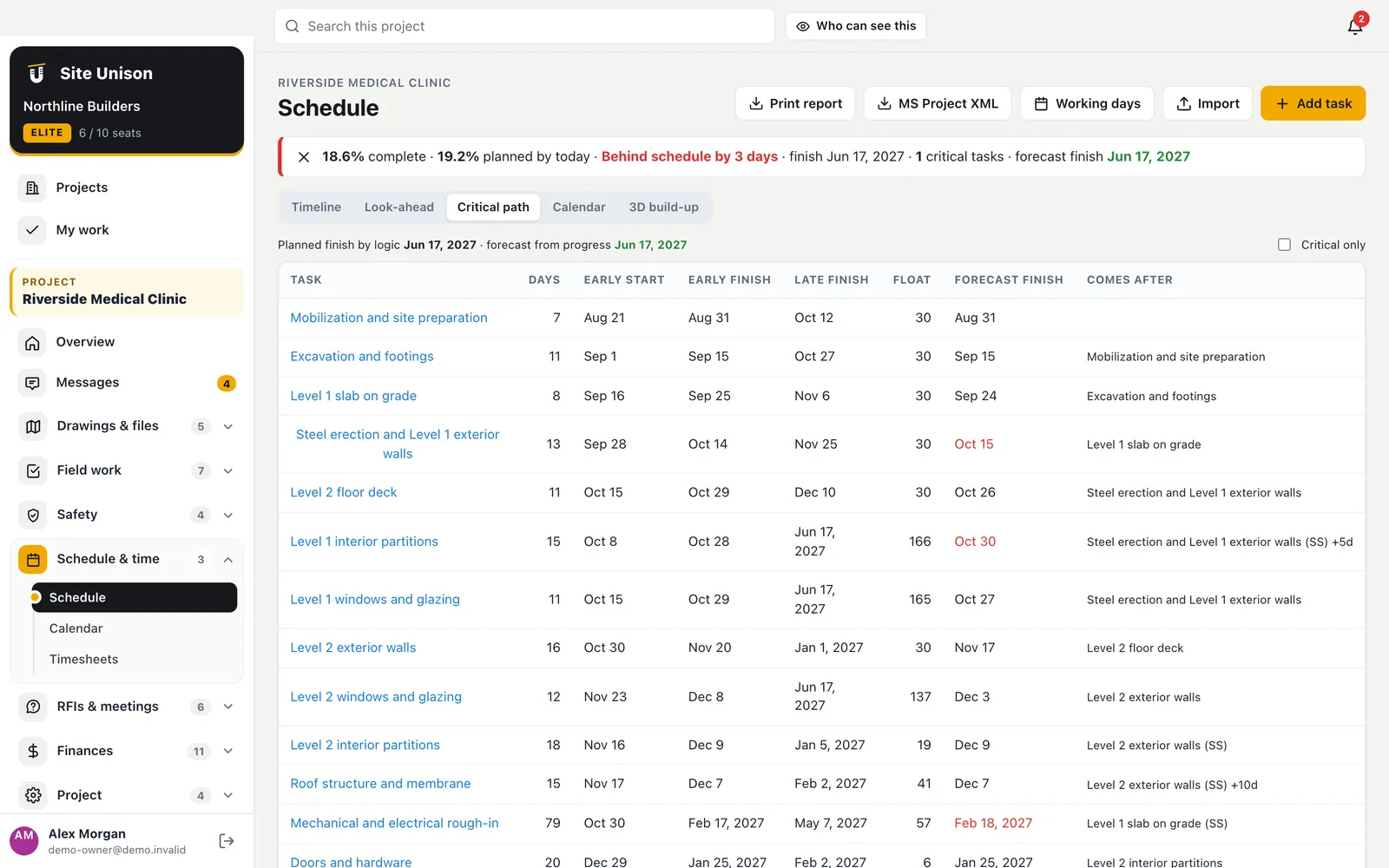
Critical path
Know the real finish date
Link tasks finish-to-start, start-to-start, finish-to-finish or start-to-finish with lags, set the working days and holidays, and Site Unison works out early and late dates, the float on every task, the critical path and a forecast finish from what has actually been done.
- Forecast finish. Late work moves the finish date and you see by how much.
- Working calendar. Working days plus Canadian statutory holidays in one click.
- Microsoft Project in and out. Import XML or CSV with links; export XML back.
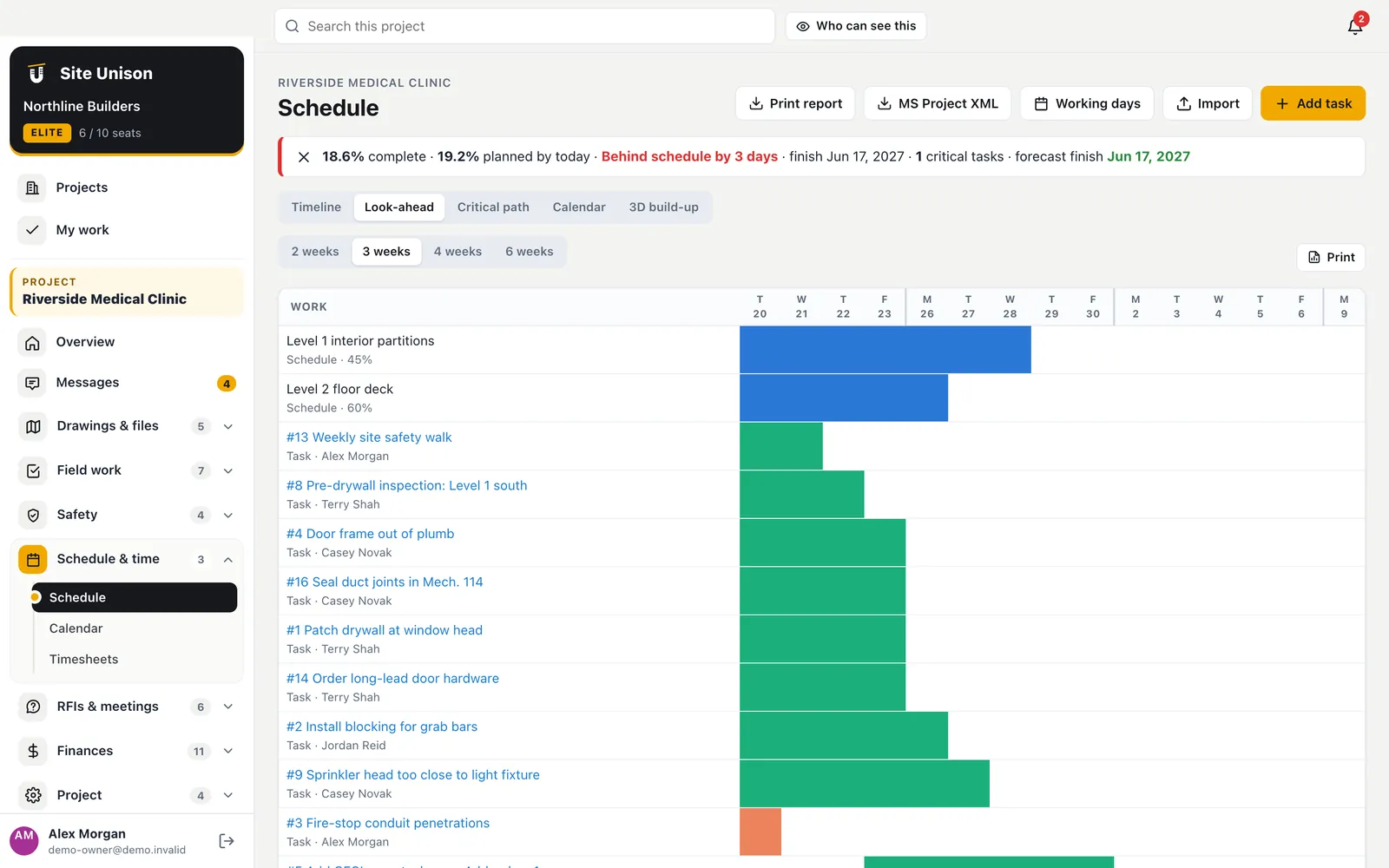
Look-ahead
The next three weeks, for the field
Pick two, three, four or six weeks and see schedule activities and field tasks day by day on working days only, with late and critical work highlighted. Print it for the morning meeting.
- Schedule and tasks together. What the super actually has to run.
- Working days only. Weekends and holidays left out.
- Print-ready. One page for the trailer wall.
3D build-up
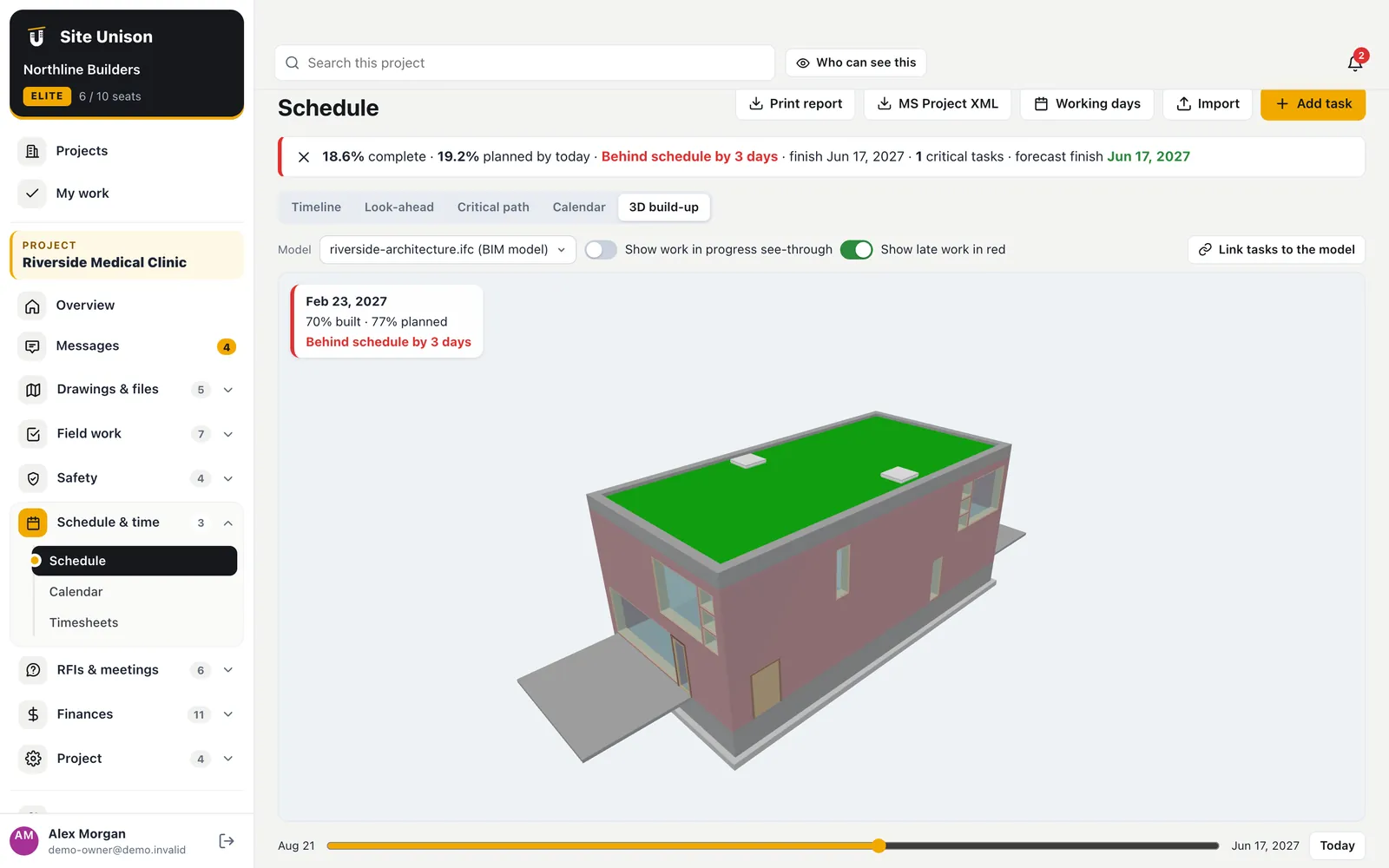
See the building go up with the schedule
Link schedule tasks to parts of the 3D model, then drag the date slider. Completed work appears in the model and anything late is shown in red.
- Linked to the 3D render. Tasks map to levels, walls, slabs and roofs automatically by name.
- Behind schedule, highlighted. Late work stands out on the graphic.
- Weekly report, automatically. Every Monday morning.
Keeping a project schedule that the field trusts
A project schedule is trusted when it reflects real progress. Site Unison forecasts the finish from actual progress and shows float on every task.
Plan the next three weeks with the look-ahead and watch the building rise in 3D as tasks finish.
A quick checklist:
- Import from Microsoft Project.
- Check the critical path.
- Plan a 3-week look-ahead.
- Update progress weekly.
Schedules often tie to CCDC standard construction contracts terms. Start free, try the live demo or compare pricing.
Questions
Common questions
Can I import from Microsoft Project?
Yes. Save as XML Format in Microsoft Project and import it. Names, outline, dates, percent complete, actual dates and task links come across. A CSV with Name, Start, Finish and Predecessors works too.
Who can change the schedule?
Superintendents, project managers and the owner update percent complete; the owner and project managers set links and working days; only the owner changes dates.
How is the forecast finish worked out?
Finished tasks keep their actual dates, tasks in progress finish their remaining work from today, and tasks not started cannot start in the past. The links push the effect through to the finish.
Can I import my project schedule?
Yes. Import Microsoft Project with its links.
Works with
Related features
Daily logs & forms
Daily logs with the weather filled in, crews, equipment, deliveries and your own forms. The AI can write the log from your notes.
Learn more →Timesheets
Start and end shift from the phone with photos, superintendent approval and hours coded to divisions.
Learn more →3D renders from CAD
Turn CAD-exported PDF floor plans into a 3D building you can orbit, edit and walk through.
Learn more →Run your next job in unison.
Start in a minute. The Free plan needs no credit card. Pro and Elite start with 14 days of Elite (estimating, billing, safety and the AI assistant): add a card, nothing is charged until the trial ends, then your plan is charged automatically. Add a sample project to explore first.