
Meeting minutes, transmittals, letters and project messages
Run OAC and coordination meetings with agendas, attendance and action items, send transmittals that recipients acknowledge online, keep formal letters and notices on the record, and talk to the whole team in each project's messages.
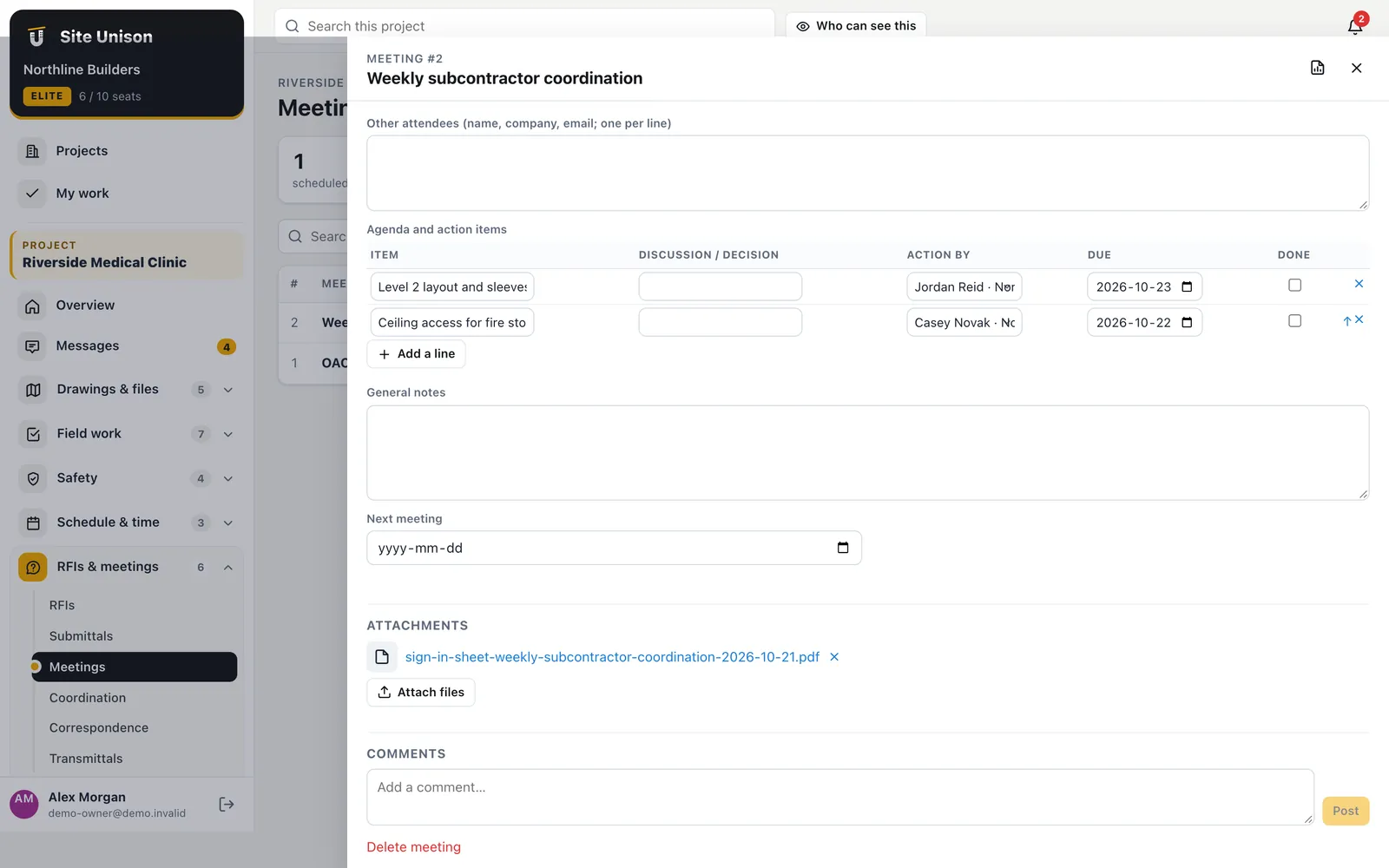
Meetings
Minutes that turn into work
Record attendees from the team and outside guests, the agenda with discussion and decisions, and who owes what by when. Create tasks from every open action item, email the minutes to everyone who attended, and schedule the next meeting with the open items carried forward.
- Action items to tasks. One click, assigned and dated.
- Minutes by email. To every attendee, team or not.
- Next meeting. Open items carried over automatically.
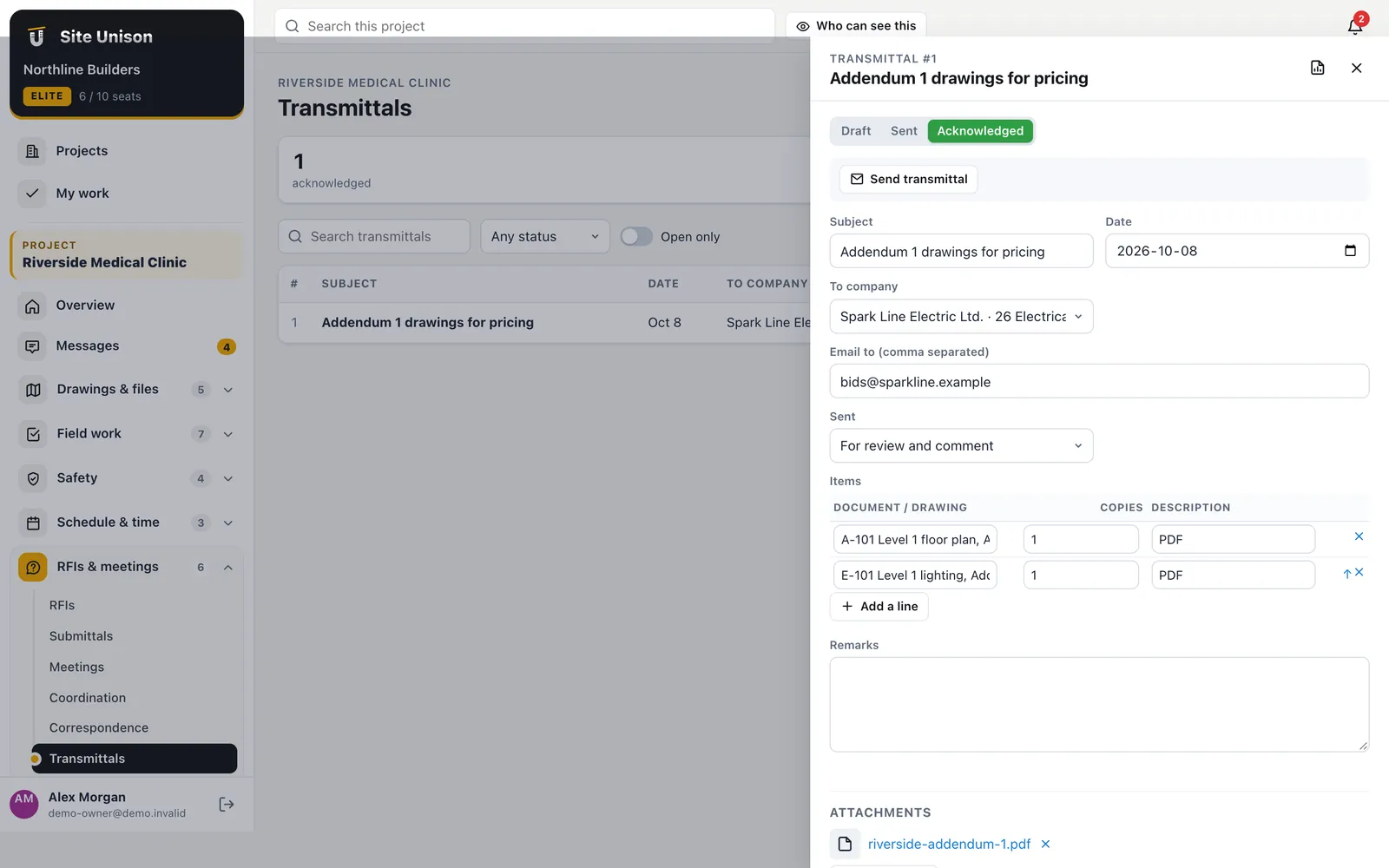
Transmittals and letters
Sent, received and on the record
Send drawings and documents with a transmittal. The recipient opens a private link, downloads the files and acknowledges receipt, and the acknowledgement is logged with name and time. Notices of delay, change and backcharge are written, sent and tracked to a response date.
- Acknowledged online. No more "we never got it".
- Response dates. Letters waiting for an answer are flagged.
- From your email. Replies go straight to the sender.
Messages
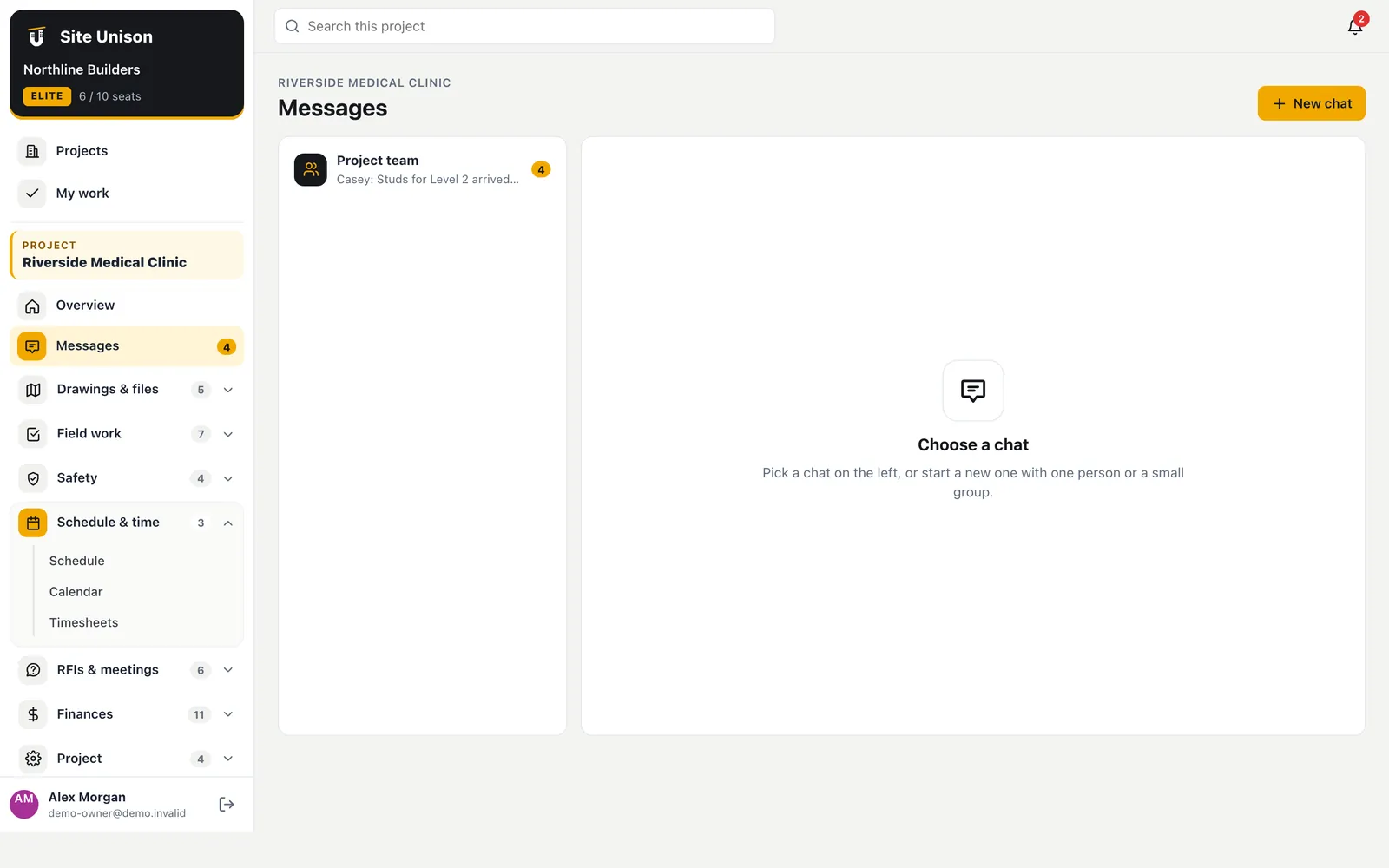
A conversation for every project
Each project has its own message thread. Mention someone with @ to notify them, attach photos and files, and keep the conversation with the project instead of in personal text messages.
- @mentions. The person is notified in the app and by email.
- Attachments. Photos and files stay with the project.
- Unread counts. See what is new at a glance.
In the field
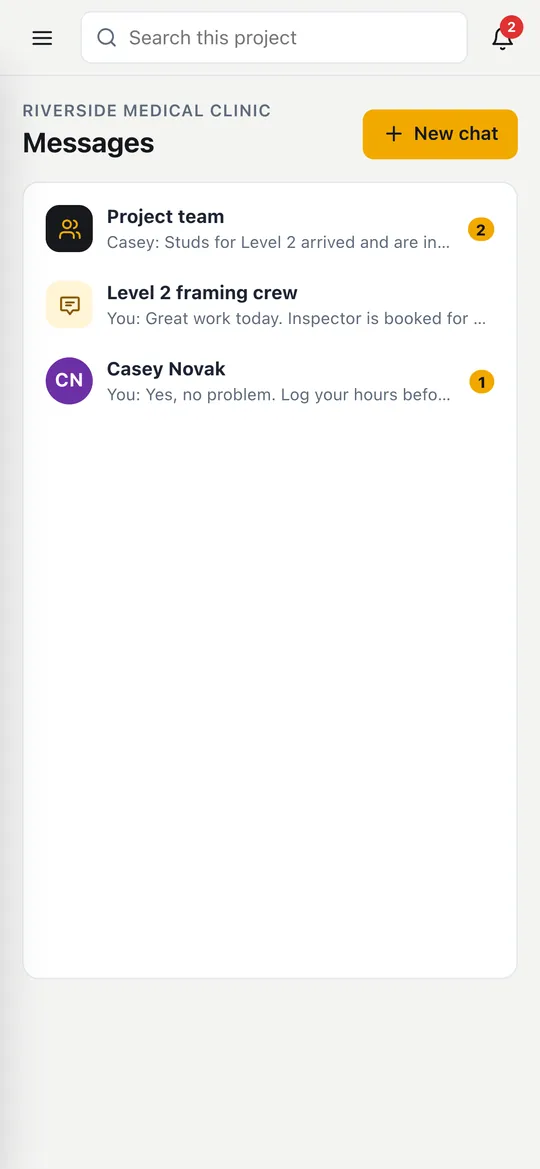
The whole team, in your pocket
Supers and PMs keep the conversation going from the site, with photos straight from the camera and the full history of the project one tap away.
- Mentions notify people
- Photos from the camera
- Works on any phone
Running meetings that turn into work
Meetings are only useful if the action items get done. Record attendees, agenda, decisions and actions, and send the minutes.
Transmittals are acknowledged online and letters stay on the record with the project.
A quick checklist:
- Set the agenda.
- Record decisions.
- Assign action items.
- Send minutes and transmittals.
Contract notices often follow CCDC standard construction contracts. Start free, try the live demo or compare pricing.
Questions
Common questions
Do outside attendees need accounts?
No. Add them to the meeting by name and email and they receive the minutes.
Can I send attachments with a letter?
Yes. Recipients get a private link to download the attached files.
Who can see messages?
Everyone on the project except employees and contractors, who see only plans, photos and timesheets.
Can guests attend meetings in the app?
Outside guests can be recorded as attendees.
Works with
Related features
Tasks & punch lists
Pinned to the plan, closed from the phone, verified by the super. Import a spreadsheet of tasks in one go.
Learn more →Daily logs & forms
Daily logs with the weather filled in, crews, equipment, deliveries and your own forms. The AI can write the log from your notes.
Learn more →RFIs, submittals & specs
Ball-in-court RFIs, a submittal register built from the spec book, and an AI check of submittals against the spec.
Learn more →Run your next job in unison.
Start in a minute. The Free plan needs no credit card. Pro and Elite start with 14 days of Elite (estimating, billing, safety and the AI assistant): add a card, nothing is charged until the trial ends, then your plan is charged automatically. Add a sample project to explore first.