
Portfolio dashboard, analytics and company operations
See every project with progress against plan, days behind, budget, forecast, billing, open items and a risk rating. Explore any data across projects, plan your crews week by week, track equipment, keep a directory of trade partners, and manage assets and capital plans.
Portfolio
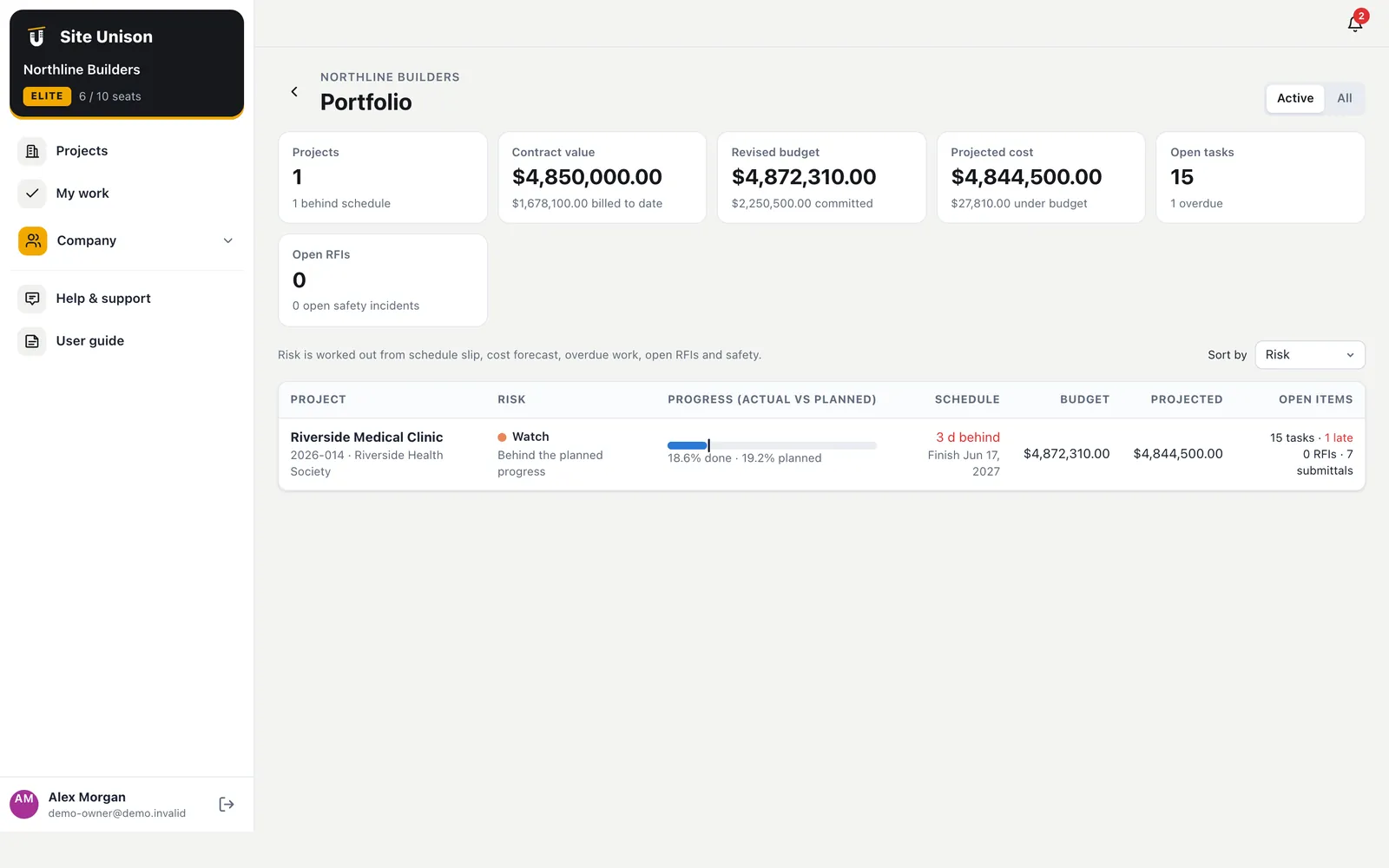
Every job, one screen, with the reasons
The portfolio lists each active project with percent complete against planned, days behind, finish date, revised budget, projected cost, billed to date and open tasks, RFIs and safety incidents. A risk rating flags the jobs that need attention and says why.
- Risk with reasons. Schedule slip, cost overrun, overdue work, open RFIs and incidents.
- Finances only for managers. Superintendents see the job status without the dollars.
- Sort any way. By risk, days behind or budget.
Analytics
Charts across projects, and a feed for Power BI
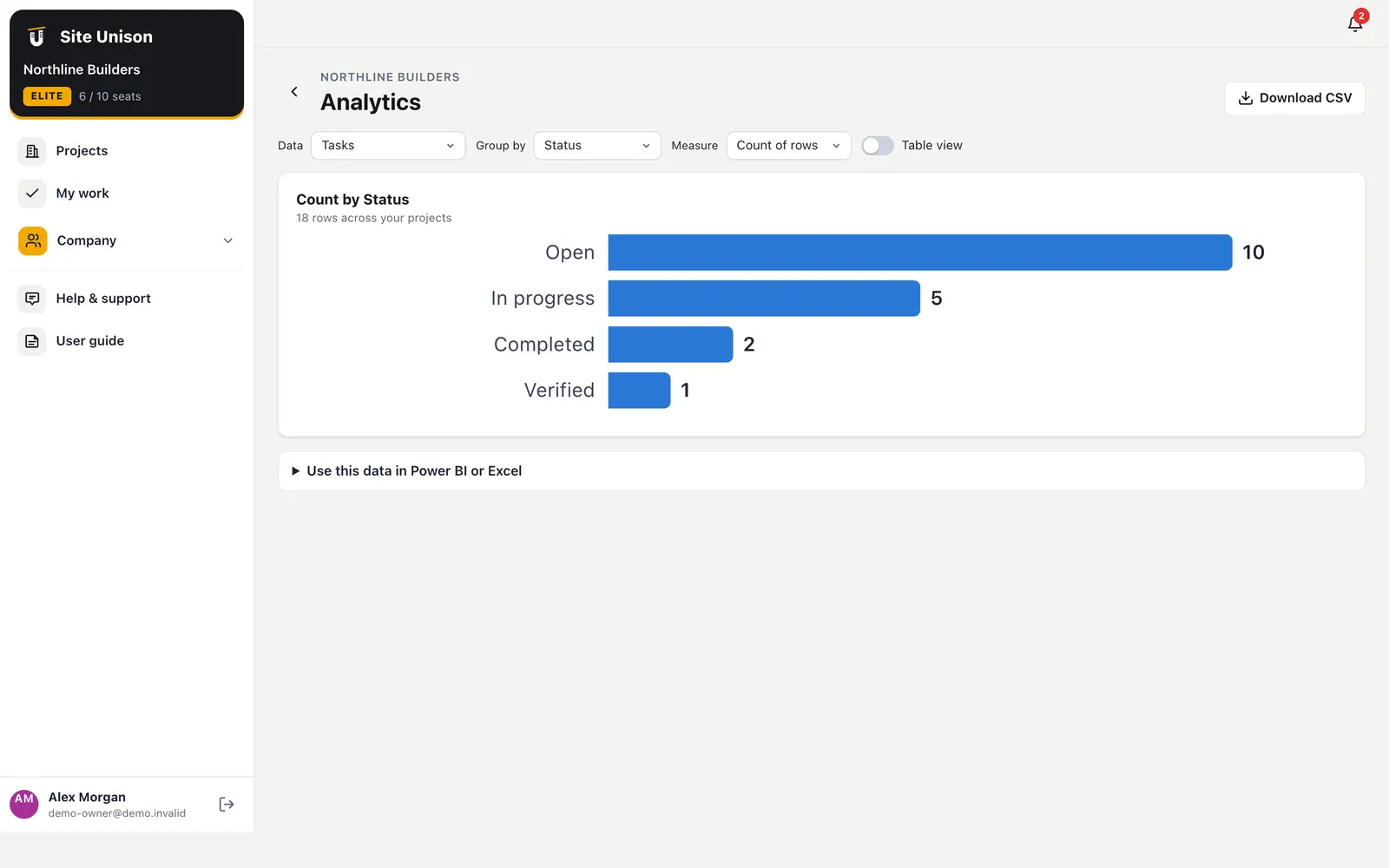
Pick a dataset (tasks, RFIs, submittals, hours, safety, daily log manpower, change orders, budget, invoices or commitments), group it by any field or by month, and see a chart or a table. Connect Power BI or Excel to the same data with an API key.
- Any field, any grouping. Count or sum, by status, company, month and more.
- CSV download. For your own spreadsheets.
- Power BI and Excel feeds. Refresh the data on a schedule.
Workforce
Who is free next week?
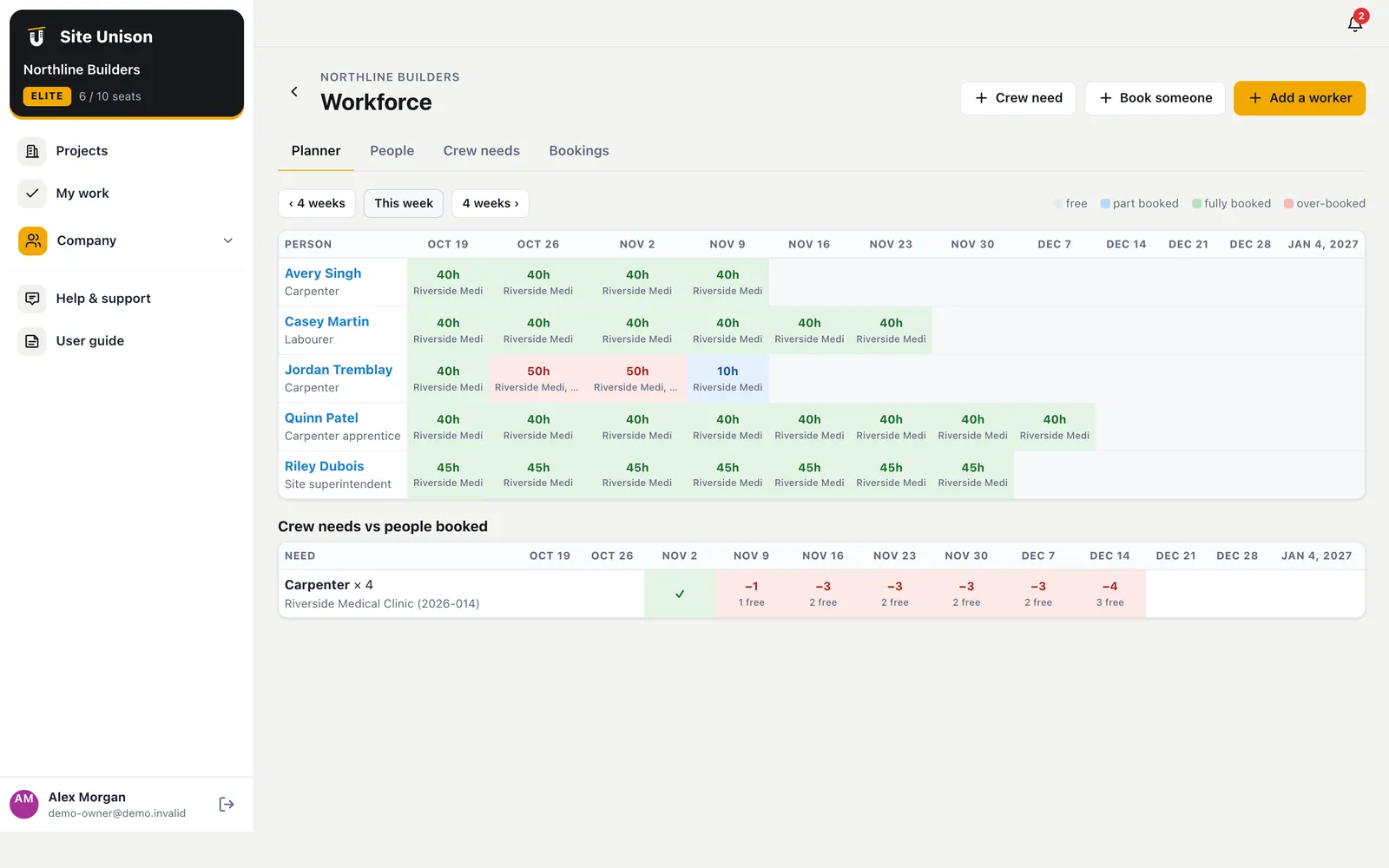
Add your people with trades, skills and tickets, book them onto projects, and add the crew each project needs. The planner shows twelve weeks of bookings against each person's hours, and where projects are short of a trade.
- Over-booked and free. Colour-coded by week.
- Crew needs vs booked. Gaps shown with how many people are free.
- Tickets with expiry. Fall protection, first aid, H2S and more.
Equipment, directory, assets and capital
The rest of the company, in the same app
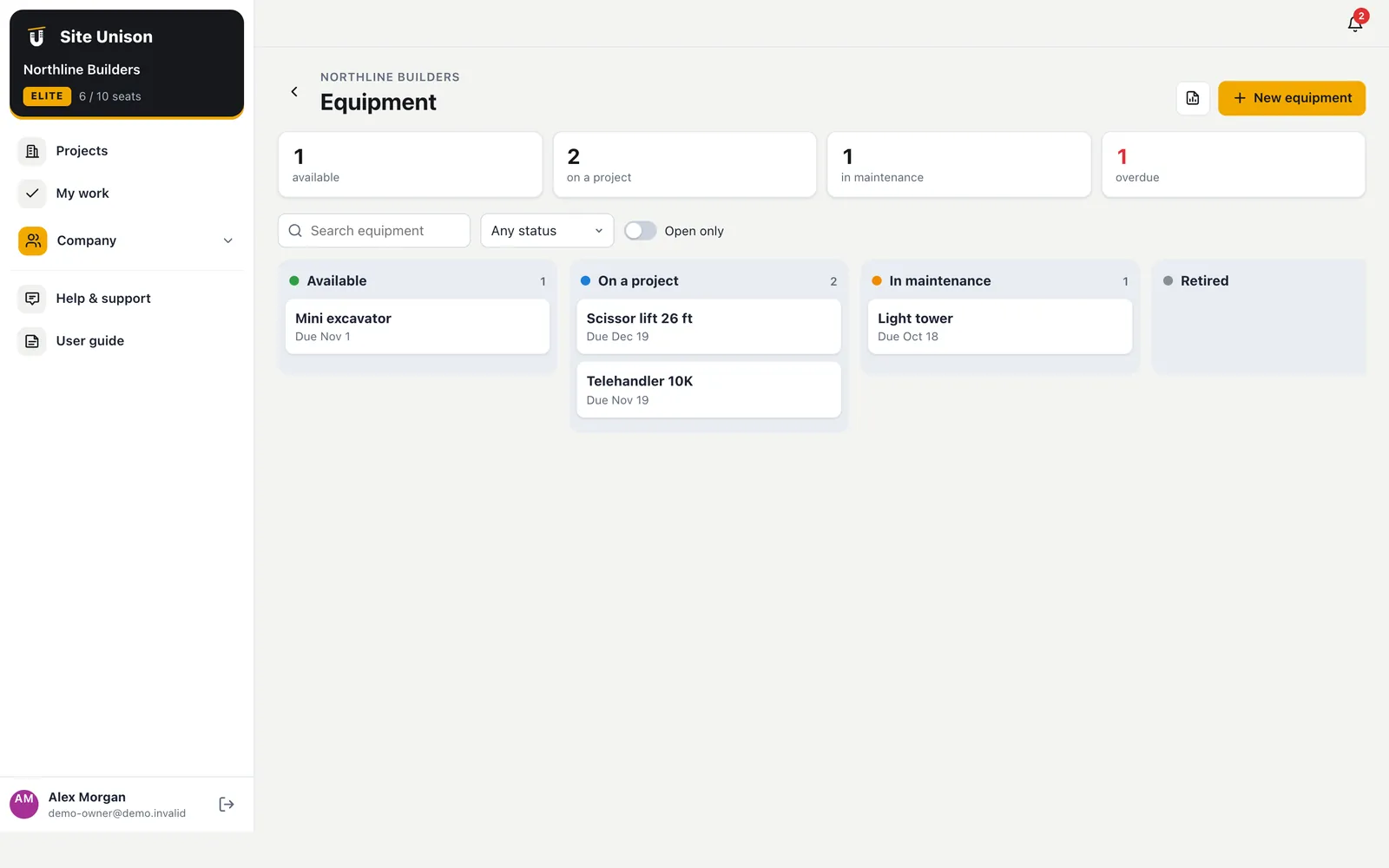
Track owned and rented equipment with rates, current project, hour meter and service dates, and log hours on each project at cost. Keep subcontractors and suppliers with contacts, insurance and WCB expiry dates. Hand over assets with warranties and service schedules, and plan capital spending against funding.
- Equipment costs by project. Hours times the hourly rate.
- Expiry dates flagged. Insurance, WCB, warranties and service.
- Concepts to projects. Score ideas, approve them and create the project.
Running a portfolio of projects from one screen
A portfolio view shows which jobs need attention: progress against plan, days behind, budget, forecast, billing and open items.
Plan crews week by week, track equipment and keep a directory of trade partners.
A quick checklist:
- Review every project weekly.
- Check days behind.
- Plan crews.
- Track equipment.
Industry benchmarks are shared by the Canadian Construction Association. Start free, try the live demo or compare pricing.
Questions
Common questions
Who can see the portfolio?
The owner, project managers and superintendents. Budget columns are shown only to the owner and project managers.
Can I connect Power BI?
Yes. Create a read-only API key and connect Power BI or Excel to the feed address shown in Analytics.
Is workforce planning linked to timesheets?
Workforce planning is for future bookings; timesheets record actual hours worked on each project.
Is the portfolio included?
The portfolio is part of Elite.
Works with
Related features
Contracts, billing & payments
The owner contract, progress billings with holdback and GST, a payment ledger, lien documents and accounting exports.
Learn more →AI assistant
Ask anything about a project, find the risks, draft RFIs, write daily logs from notes and photos, and check submittals.
Learn more →Integrations & security
QuickBooks Online sync, API keys, signed webhooks, Power BI feeds, Google and Microsoft sign-in, and Sage exports.
Learn more →Run your next job in unison.
Start in a minute. The Free plan needs no credit card. Pro and Elite start with 14 days of Elite (estimating, billing, safety and the AI assistant): add a card, nothing is charged until the trial ends, then your plan is charged automatically. Add a sample project to explore first.