
Construction quality inspections and safety management
Run inspections from standard or custom checklists and turn failed items into deficiency tasks, log safety observations with hazard levels, report incidents with root cause and corrective actions, and track action plans to sign-off.
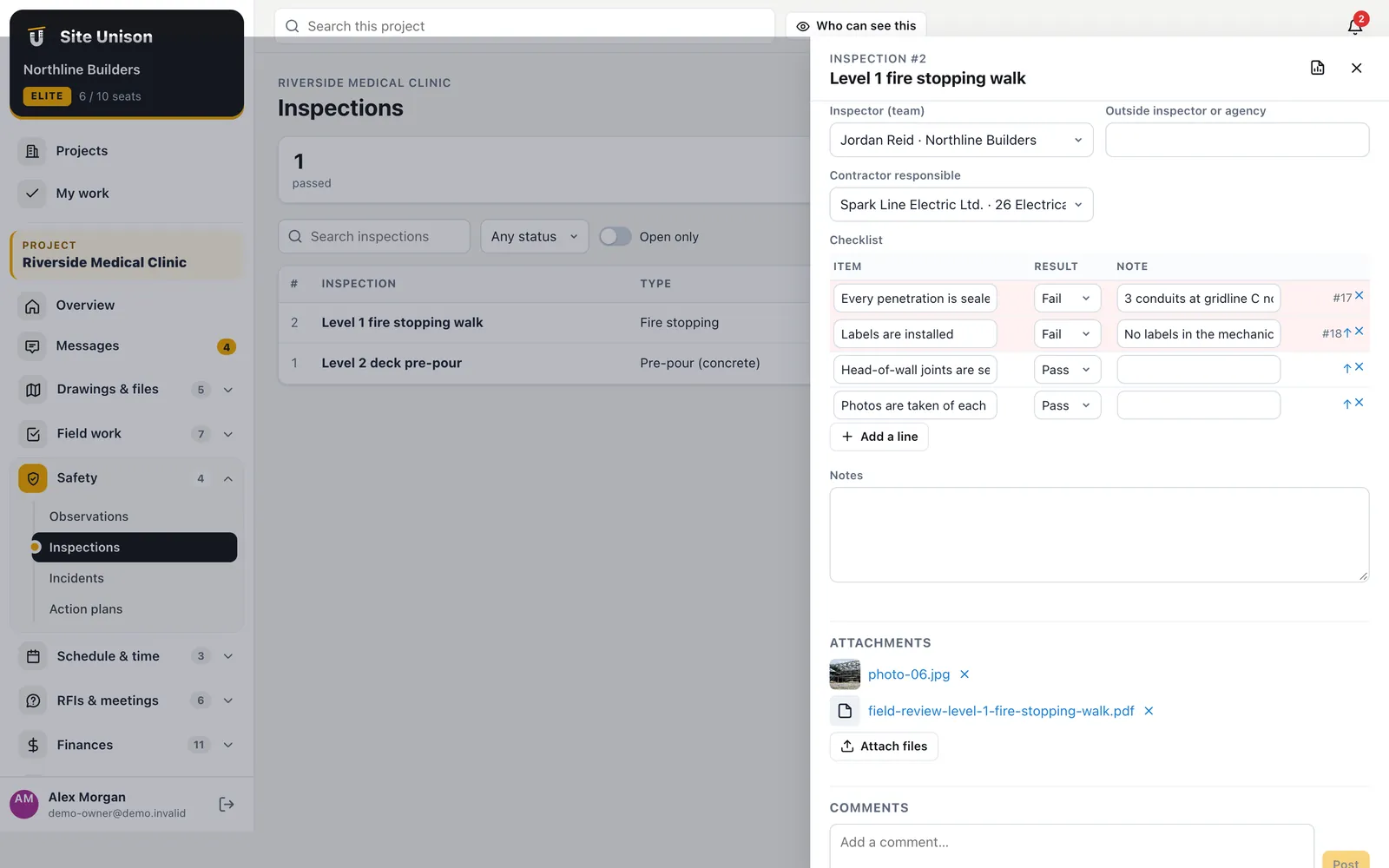
Inspections
Every failed item becomes a fix
Load a standard checklist (pre-pour, framing, rough-ins, fire stopping, envelope, safety walk, closeout and more) or your own, mark each item pass, fail or N/A, and one click creates a deficiency task for every failure, assigned and on the record.
- Standard checklists. Eleven common inspections ready to load.
- Deficiency tasks. Created and linked automatically.
- Outside inspectors. Record the agency and attach their report.
Safety
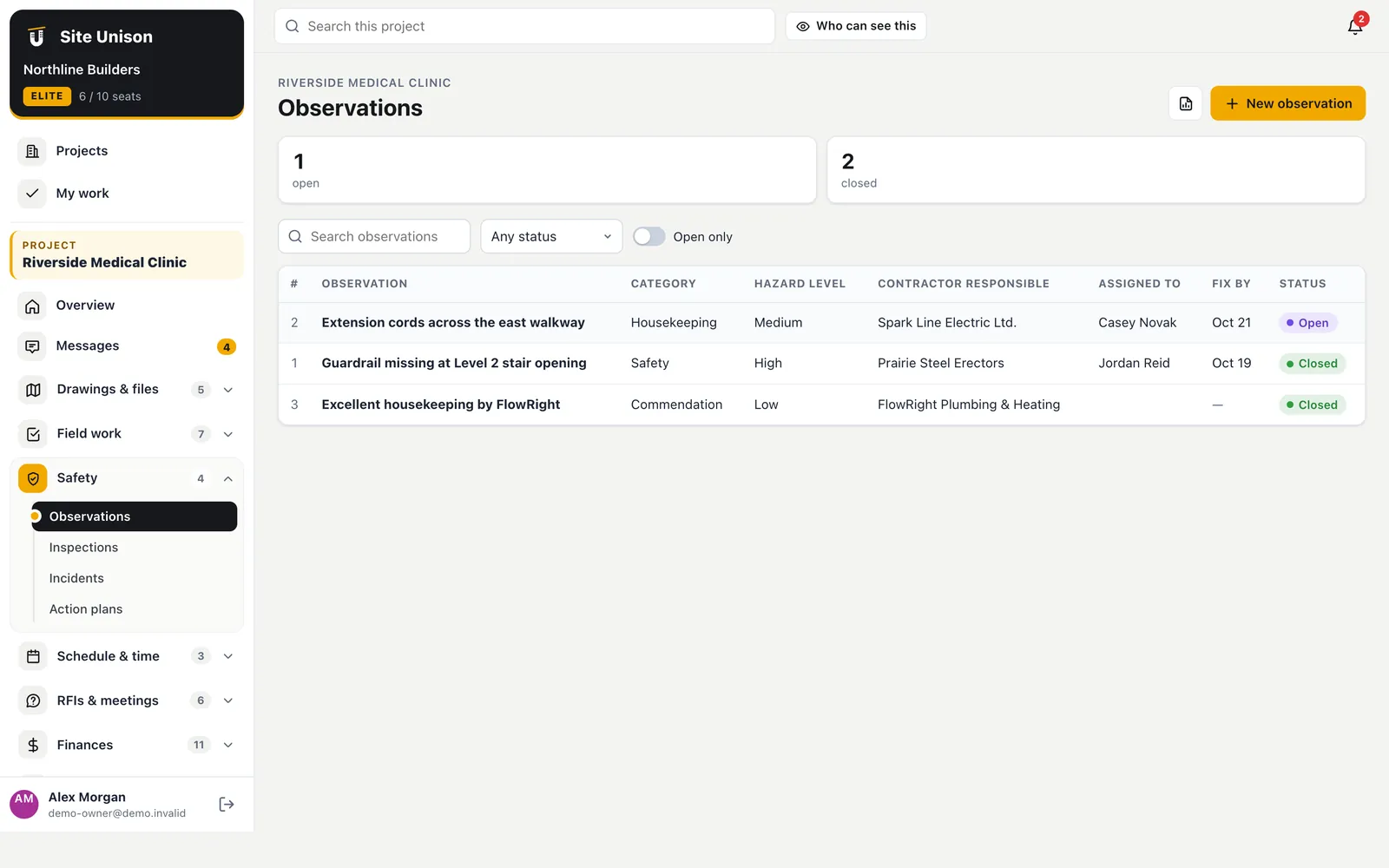
Observations, incidents and corrective actions
Log what you see with a hazard level, the contractor responsible and a fix-by date. Incidents carry the people involved, severity, days lost, root cause, corrective actions and whether it was reported to WCB or OHS, and only the owner, project managers and superintendents can see them.
- Hazard levels and fix-by dates. Overdue items stand out.
- Incident records. With root cause and corrective actions.
- Private by role. Incidents are hidden from crews and guests.
Safety walks
Weekly walks with photos and corrective actions.
Turnover plans
Closeout steps with evidence and sign-off.
Action plans
Standard steps, evidence and sign-off
Build a plan for quality, safety, commissioning or turnover with each step's owner, the evidence required, done and verified. Use it for mock-ups, water tests, commissioning and handover.
- Responsible person per step. Everyone knows what is theirs.
- Evidence required. Attach the report or photo.
- Verified. A second tick by the person checking.
Making safety and quality part of every week
Safety and quality improve when findings turn into tasks. Failed checklist items become deficiency tasks with an owner.
Log safety observations with hazard levels and report incidents with root cause and corrective actions.
A quick checklist:
- Run standard checklists.
- Turn failures into tasks.
- Log observations.
- Track action plans to sign-off.
See Alberta occupational health and safety and CCOHS. Start free, try the live demo or compare pricing.
Questions
Common questions
Can we use our own checklists?
Yes. Edit the items on any inspection or build a custom form template on Elite.
Is incident information private?
Yes. Only the owner, project managers and site superintendents can see incidents.
Can I report on safety across projects?
Yes. Observations and inspections are in the analytics on Elite, and every log exports to PDF and CSV.
Can safety findings become tasks?
Yes. Failed items become deficiency tasks.
Works with
Related features
Tasks & punch lists
Pinned to the plan, closed from the phone, verified by the super. Import a spreadsheet of tasks in one go.
Learn more →Site photos
Stamped with date, time and GPS, linked to tasks and plan spots, shown on a map, plus 360° walks.
Learn more →Daily logs & forms
Daily logs with the weather filled in, crews, equipment, deliveries and your own forms. The AI can write the log from your notes.
Learn more →Run your next job in unison.
Start in a minute. The Free plan needs no credit card. Pro and Elite start with 14 days of Elite (estimating, billing, safety and the AI assistant): add a card, nothing is charged until the trial ends, then your plan is charged automatically. Add a sample project to explore first.