
NewEstimating, bidding, billing, safety and an AI assistant
From the bid to the keys, in unison.
Site Unison is construction management software for the whole job: win the work with estimates and bids, run the site with plans, punch lists, daily logs and the schedule, and get paid with subcontracts, progress billing and holdback. Built in Canada, priced per seat, and it works on any phone.


- Free plan for small crews
- 14 days of Elite included
- Guests always free
Construction project management software: on this page
- Five stages of a job. One app, not five products.
- The things you will not find in a field app
- What the super sees is what the office sees
- Know where every job stands before the morning call
- Everything below is in Elite. No add-on modules.
- Every project. One team. In sync.
- Made for the people who build
- From sign-up to the first daily log in an afternoon
- How to choose construction project management software
- Frequently asked questions
One system, start to finish
Five stages of a job. One app, not five products.
Most teams stitch together an estimating tool, a field app, a spreadsheet budget and an accounting package. In Site Unison each stage hands its work to the next: the estimate becomes the budget, the bid becomes the subcontract, the daily log feeds the billing.
Win the work
Price it right and pick the right partners.
- Bid board and pipeline
- Takeoff on the drawings
- Estimates and proposals
- Bid invitations and leveling
- Trade partner prequalification
Plan and buy out
Contracts, schedule and budget before the first shovel.
- Owner contract and schedule of values
- Subcontracts and POs
- Budget from the estimate
- Schedule with the critical path
- Crew and equipment booked
Build
The field and the office on the same record.
- Plans, markups and pins
- Punch lists and inspections
- Daily logs with the weather
- Safety observations and incidents
- Meetings, RFIs and submittals
Bill and pay
Finances that match the work.
- Progress billing with holdback
- Invoices split across divisions
- Change events to change orders
- Lien documents collected online
- QuickBooks and Sage exports
Hand over
Close out and keep the building running.
- Turnover action plans
- Asset and warranty register
- Full project export
- Portfolio and analytics
- Capital planning for owners
What sets it apart
The things you will not find in a field app
Site Unison goes past drawings and punch lists into the parts of the job where budget, time and safety are won or lost.
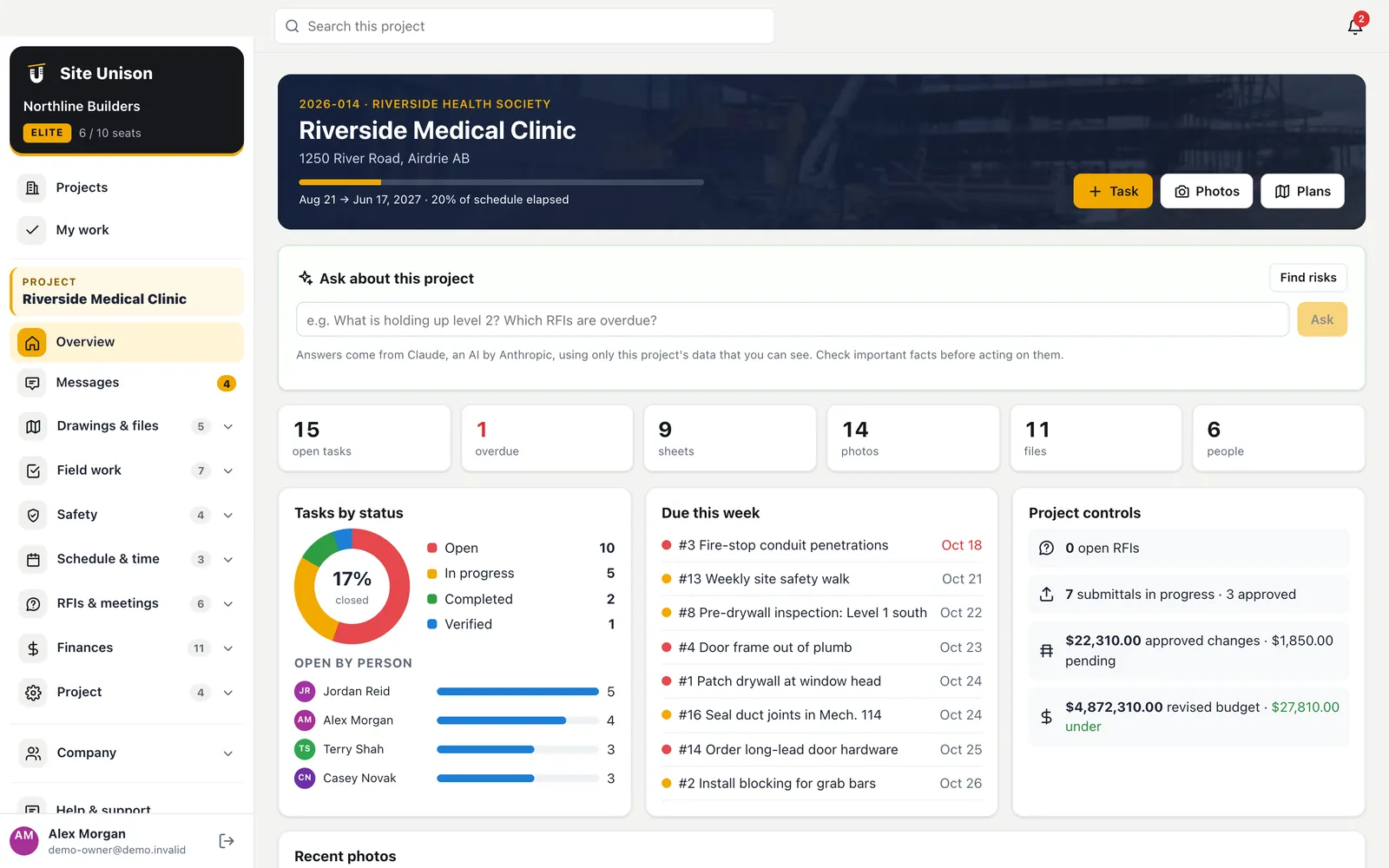
AI assistant
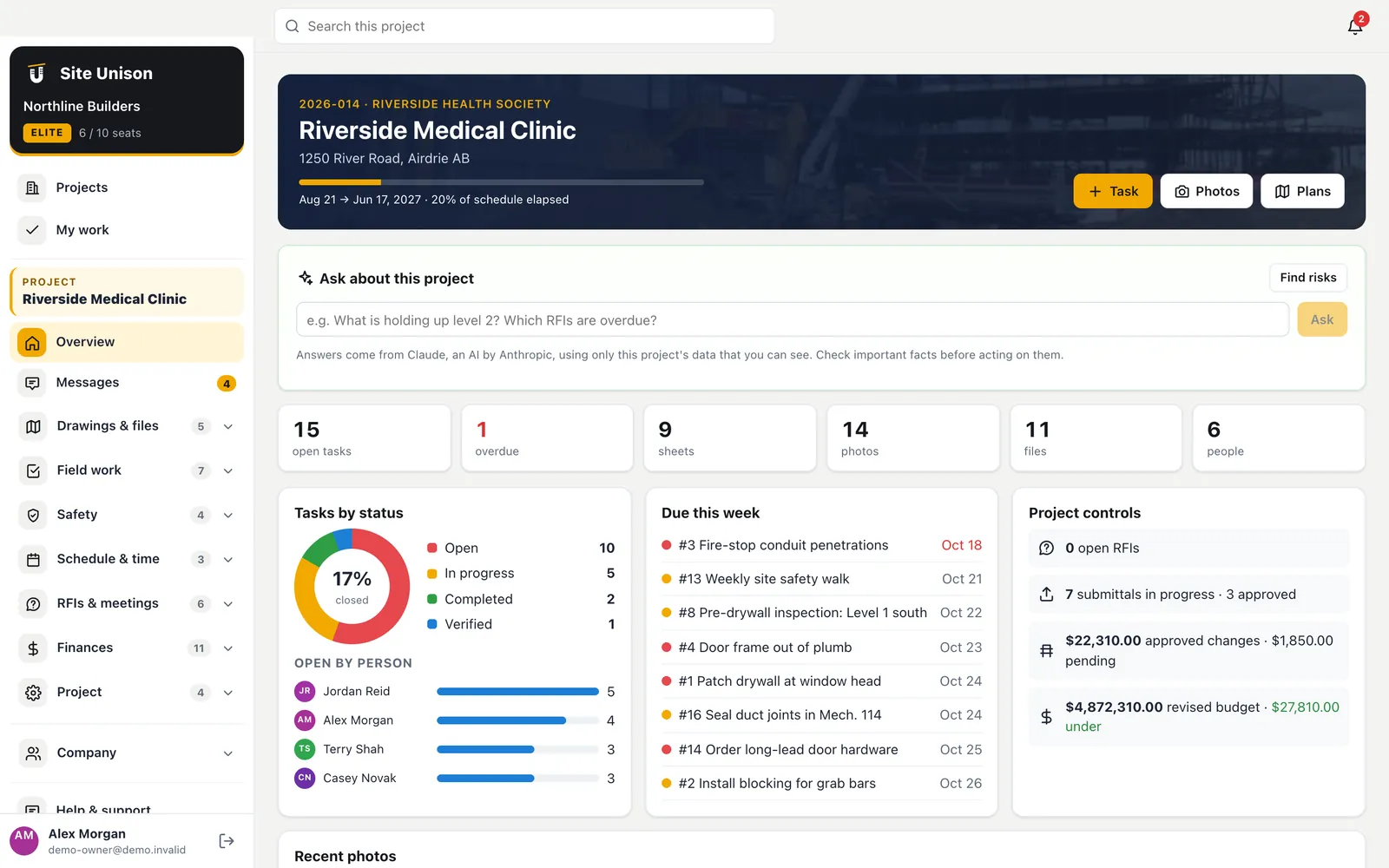
Ask the project a question. Get an answer with the item numbers.
Which RFIs are holding up level 2? What is late on the critical path? The assistant reads the project you can see and answers in plain words, finds the risks, drafts RFIs and writes the daily log from your notes and photos.
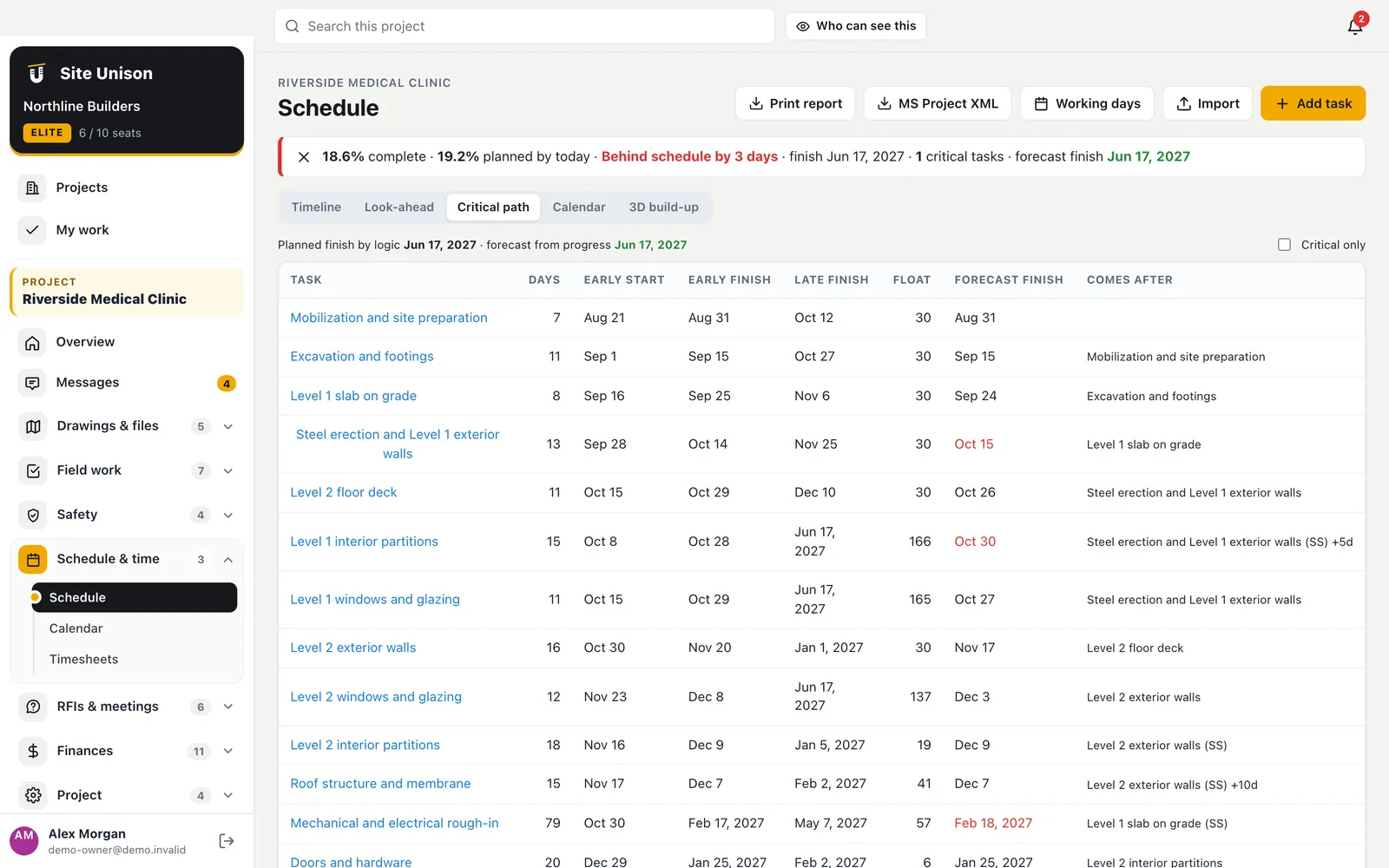
Critical path
Know the real finish date.
Link tasks, and Site Unison works out the critical path, the float on every task and a forecast finish from actual progress, so a late task shows up as days on the finish date.
+3 days
Forecast finish vs plan, worked out from the links
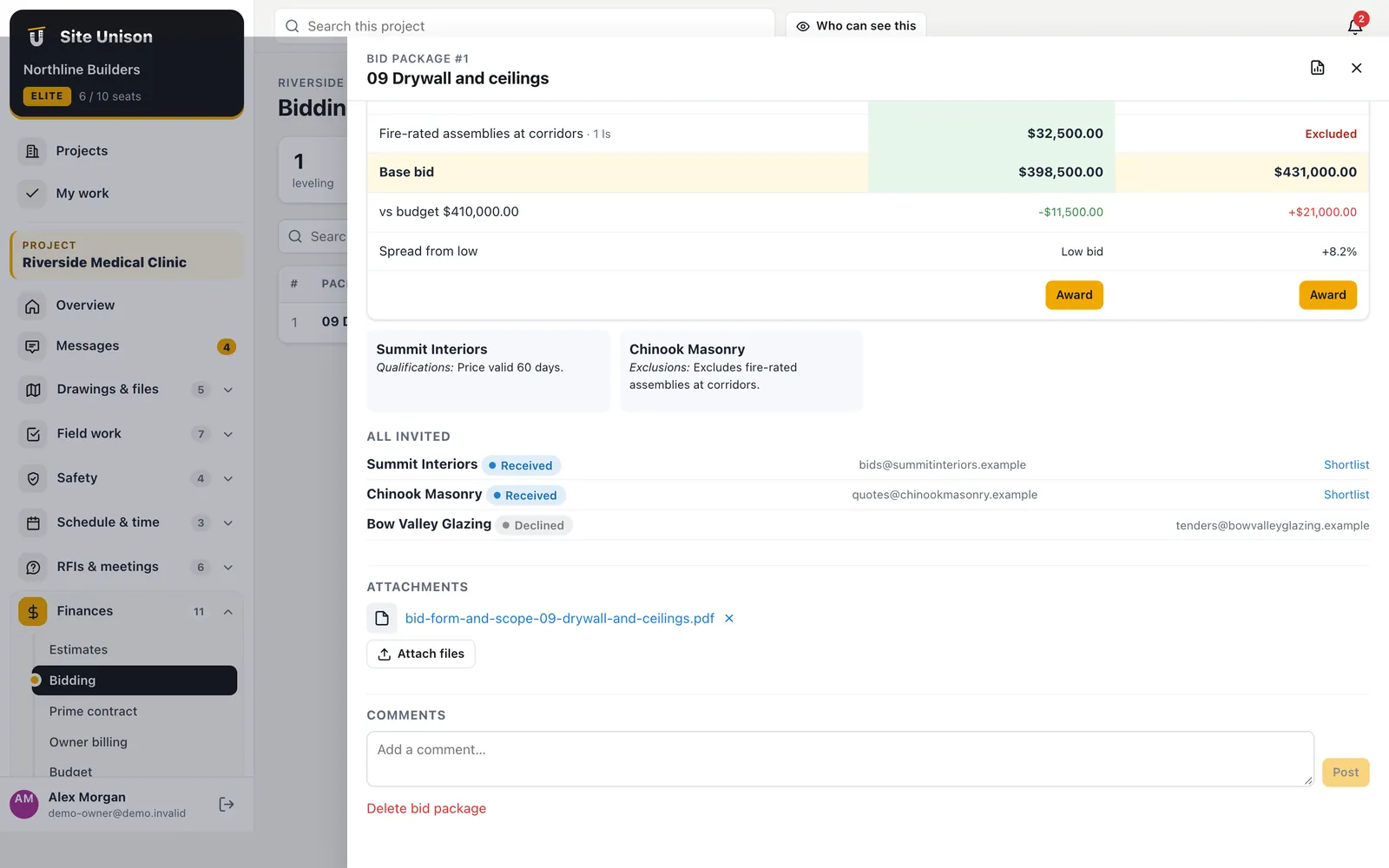
Bid leveling
Every bid, side by side.
Subcontractors price your scope online. Missing scope and exclusions stand out, the low bid is marked, and one click awards the subcontract.
Progress billing
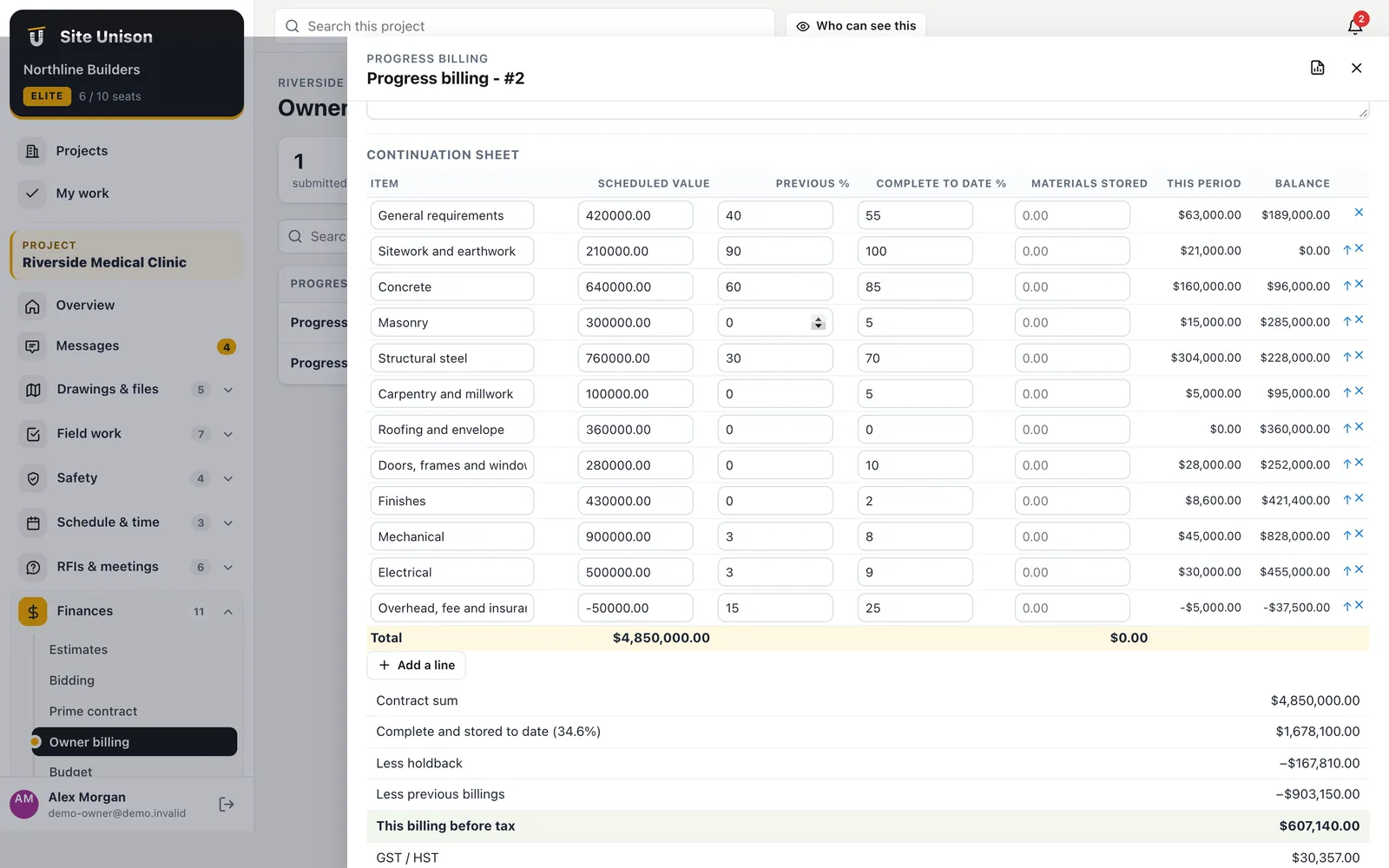
Holdback and GST, worked out for you.
Bill the owner from the schedule of values with previous and this-period percentages, materials stored, holdback and tax, then print a certifier-ready PDF.
3D build-up
Watch the building go up as the work is finished.
Link the schedule to your BIM model and drag the timeline. Each part appears only from the date its work was actually finished, and late work shows in red.
Takeoff
Measure on the drawing, price in the estimate.
Set the scale, measure lengths and areas, count items or let it find every matching symbol, then pull the quantities into the estimate.
Portfolio
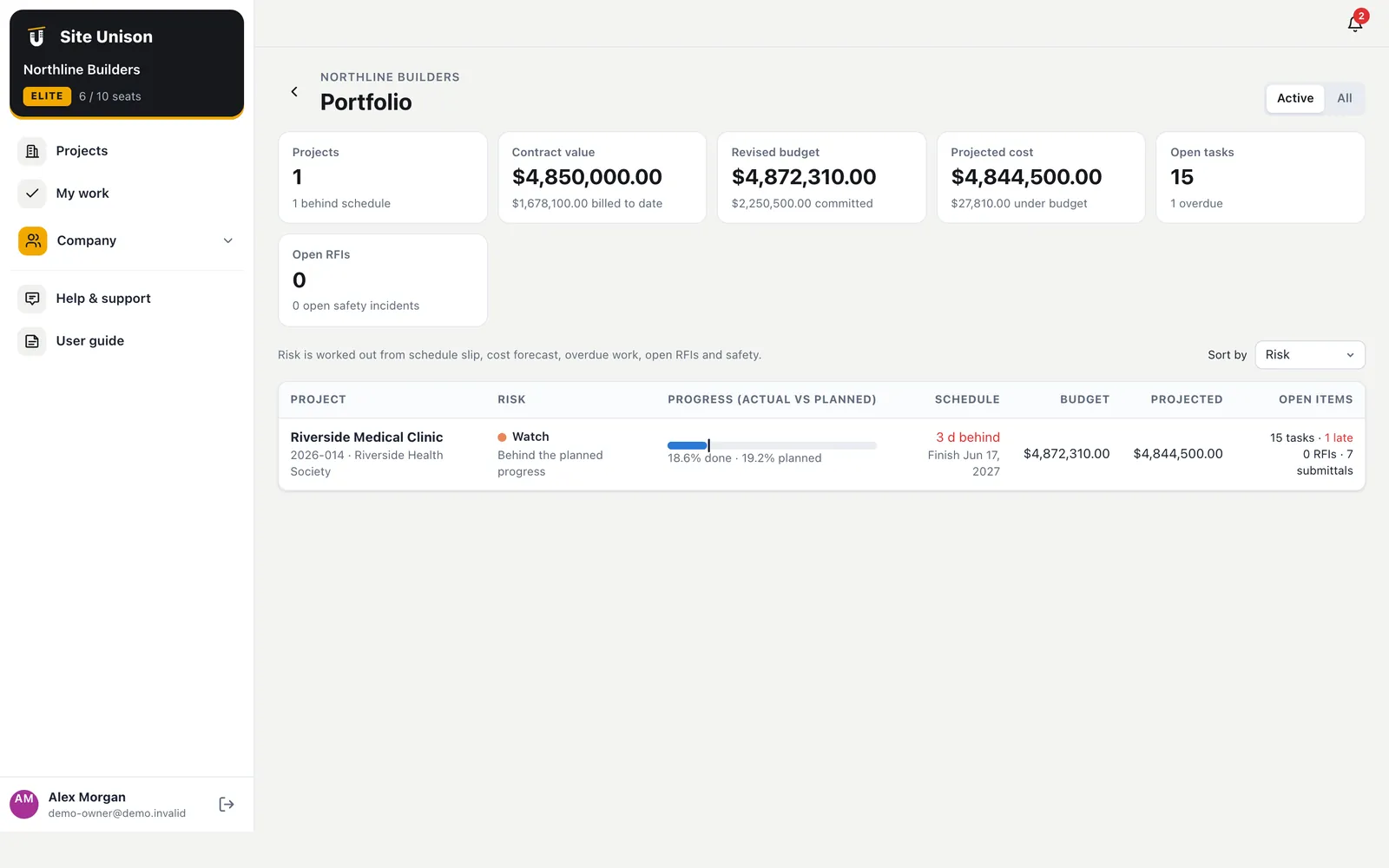
Every job, one screen, a risk rating.
Schedule, budget, billing, open items and safety for every project, with the reasons a job is flagged.

Office and field, in sync
What the super sees is what the office sees
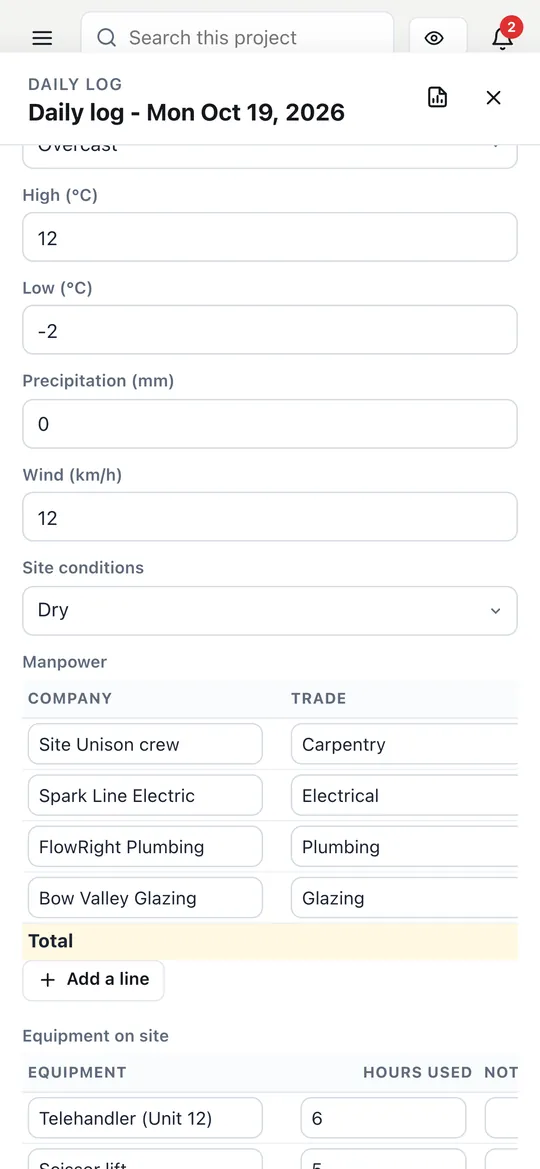
Superintendents work from their phones: open the current sheet, drop a task on the exact spot, fill the daily log with the weather already in it, and move on. The project manager sees it the moment it lands, and so does the owner if you invite them.
No more marked-up PDFs in email threads, photos stuck on personal phones, or a daily log written at 9 pm from memory.
- Current drawings everywhere. Upload Addendum 1 and send it to the team in one step.
- Inspections that create the fix. Failed items become deficiency tasks automatically.
- Everyone on one record. Comments, approvals and history stay with the item.
For owners and managers
Know where every job stands before the morning call
The portfolio shows each project's progress against plan, days behind, budget and forecast, what has been billed, open RFIs and safety, with a plain-language reason when a job needs attention.
- Risk rating with the reasons behind it
- Billed to date against the contract
- Charts and exports for Power BI and Excel
One subscription
Everything below is in Elite. No add-on modules.
Big platforms sell estimating, bidding, financials and analytics as separate products. In Site Unison they are part of the same plan, priced per seat, and guests never pay.
Field
Plans, markups and takeoff
Tasks and punch lists
Photos, 360° and photo map
Daily logs and forms
Inspections and safety
Timesheets
Messages
Project management
RFIs and submittals
Specifications
Schedule and critical path
Meetings and minutes
Transmittals and letters
BIM and coordination
3D renders from CAD
Finances
Estimating and cost catalog
Bidding and leveling
Budget and change orders
Subcontracts and POs
Progress billing and holdback
Invoices and payments
Lien documents
Company
Portfolio and analytics
Workforce planning
Equipment register
Directory and prequalification
Assets and capital planning
AI assistant
API, webhooks and SSO
See it in three minutes
Every project. One team. In sync.
A quick tour of plans, tasks, photos, daily reports, BIM, RFIs and the budget in Site Unison.
Built for the whole project team
Made for the people who build
Whether you run the job, work a trade, own the building or designed it, Site Unison shows you the project the way your role needs to see it.
General contractors
Run drawings, punch lists, RFIs, submittals, change orders and daily reports for every job in one place.
See how →Trade & specialty contractors
See your work across every GC project, close tasks with photos and keep your crew log tidy.
See how →Owners & developers
Follow progress, budget and change orders with free view-only access. No seat, no cost.
See how →Architects & engineers
Answer RFIs, review submittals and check the model as a free guest, with every decision on record.
See how →Home builders & renovators
Schedules, punch lists and photo updates for clients, free for crews of up to five.
See how →Not sure yet?
Step into a sample job as the owner, project manager, site superintendent, employee, contractor or guest architect. No sign-up, no email.
Open the live demo →Up and running today
From sign-up to the first daily log in an afternoon
1
Create your company
Sign up free with your work email. A complete sample project is one click away so you can explore with real-looking data first.
2
Load the job
Upload the drawing set and the project manual, import your Microsoft Project schedule and the estimate. Sheets are numbered and the submittal register is pulled from the specs.
3
Invite the team
Add your PMs, supers and crews. Owners, architects and inspectors join as free view-only guests, and subcontractors bid from a private link.
How to choose construction project management software
Construction project management software should connect the whole job: the estimate becomes the budget, the bid becomes the subcontract and the daily log feeds the billing. Separate tools for each stage mean typing the same thing twice.
Check that it works on any phone, that guests such as owners and architects join free, and that pricing is per seat in Canadian dollars with holdback and GST handled.
A quick checklist:
- Estimating, bidding and leveling.
- Current drawings with markups and takeoff.
- Punch lists, daily logs and safety.
- Progress billing with holdback.
- Works offline on site, then syncs when you are back in signal.
Contracts in Canada usually follow CCDC standard construction contracts. Start free, try the live demo or compare pricing.
Questions
Frequently asked questions
Is Site Unison really free to start?
Yes. The Free plan is free forever for up to 5 users, 3 projects and 2 GB of files, and it includes plans, tasks, photos, files and specifications. The Free plan needs no credit card. Pro and Elite start with 14 days of Elite so you can try everything; they take a card that is charged automatically when the trial ends.
Do owners, architects and inspectors need a paid seat?
No. View-only guests are always free on every plan. Subcontractors who bid, sign for transmittals or upload lien documents use a private link and need no account at all.
Does it connect to QuickBooks?
Yes. On Elite, accepted subcontractor invoices go to QuickBooks Online as bills and progress billings as invoices, with holdback and GST/HST, and payments come back. Sage users get CSV exports.
Does it handle Canadian holdback and GST?
Yes. Progress billings and subcontracts carry a holdback percentage, GST or HST is calculated on each billing, and statutory declarations and WCB clearance letters are collected and tracked per contractor.
Can I get my data out?
Yes. Every plan includes a full project export, Pro adds PDF and CSV reports, and Elite adds an API, webhooks, Power BI feeds and QuickBooks and Sage exports.
How do I pay?
Pro and Elite are billed per seat, monthly or yearly, by credit card through Stripe. Prices are in Canadian dollars plus GST, and you can change seats or cancel any time.
Is there a free plan?
Yes. Small crews can start free, and new companies get 14 days of Elite included.
Do owners and architects pay?
No. View-only guests are always free.
Does Site Unison work offline?
Yes. Keep working on site without a signal, and your changes sync when you are back online.
Run your next job in unison.
Start in a minute. The Free plan needs no credit card. Pro and Elite start with 14 days of Elite (estimating, billing, safety and the AI assistant): add a card, nothing is charged until the trial ends, then your plan is charged automatically. Add a sample project to explore first.