
A BIM and IFC viewer that runs in the browser
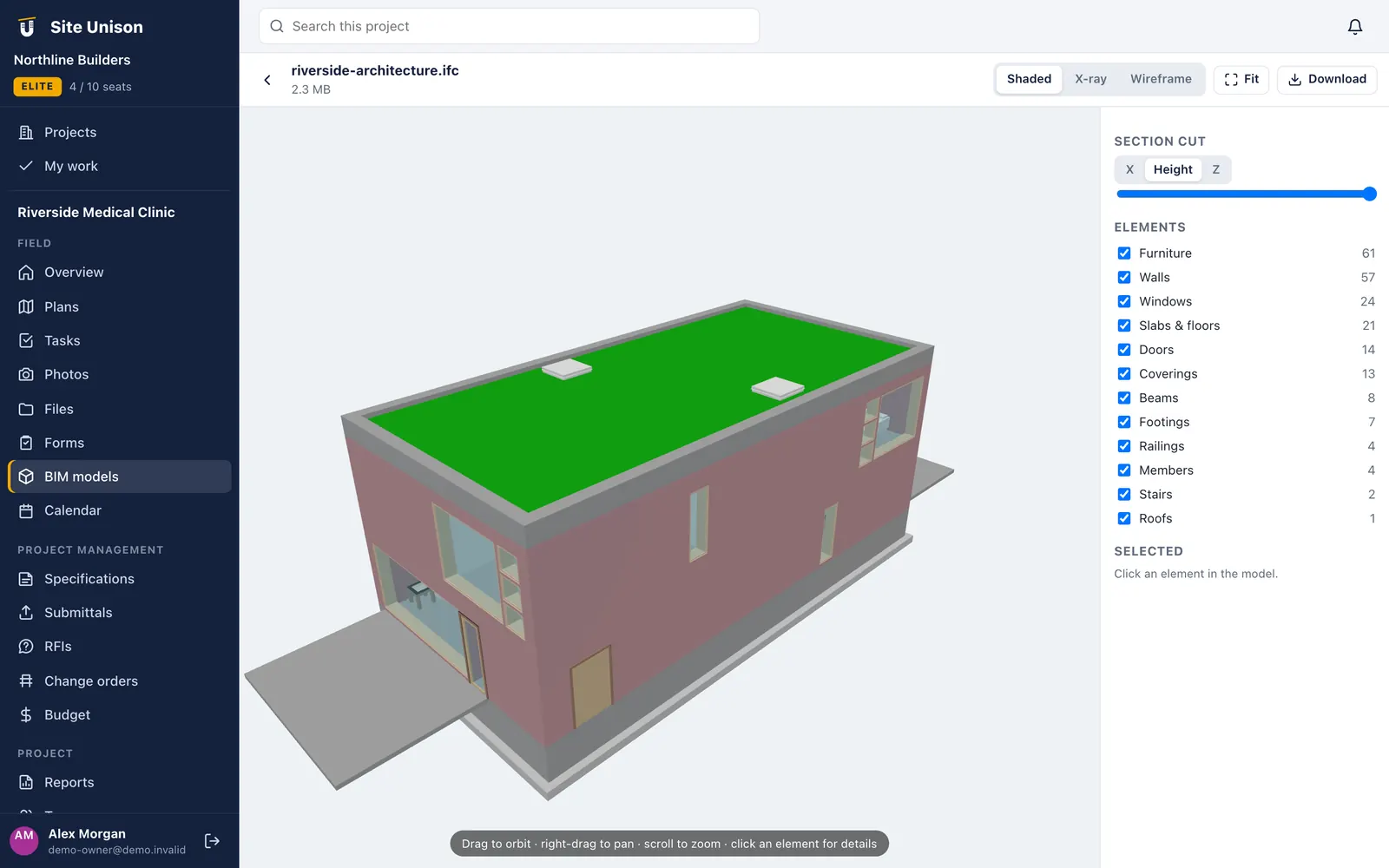
Open IFC, glTF and OBJ models without installing anything. Cut sections, hide categories and click any element to see its properties, on a laptop or a tablet.
Categories
Hide walls, slabs, roofs or windows to see what is behind.
Element counts
See how many of each category the model contains.
Model viewing
Look inside the model on site
Upload the architectural or MEP model to the project and anyone on the team can open it in the browser. Orbit, pan and zoom, then cut a section to see inside a wall or ceiling space.
- IFC, glTF and OBJ. Open the common open formats.
- Section cuts. Slice on any axis and move the cut.
- Element properties. Click an element to read its type and properties.
Coordination
The model next to the drawings
Keep models with the drawing set, RFIs and tasks on the same project, so a question about a clash can link to the model and the sheet at the same time.
- Stored with the project. No separate viewer licence.
- Shared with guests. Architects and owners view for free.
- Nothing to install. Works in a modern browser.
RFIs
Ask about what you see in the model.
Drawings
Jump between the model and the sheet.
Questions
Common questions
Which file formats are supported?
IFC (2x3 and 4), glTF/GLB and OBJ.
How large can a model be?
Typical building models of tens of megabytes open well on a laptop. Very large federated models may be slow on phones.
Do I need Revit or other software?
No. Export IFC from your authoring tool and open it in Site Unison.
Works with
Related features
Plans & drawings
Upload a set and every sheet is split, numbered and titled. Mark up, pin tasks and compare revisions.
Learn more →Site photos
Photos land on the right project, task and plan spot with date, time and GPS stamps, plus 360° walks.
Learn more →RFIs, submittals & specs
Ball-in-court RFIs and a submittal register built straight from the specification book.
Learn more →Run your next job in unison.
Start free in a minute with no credit card. Every new company gets 14 days of Elite, and you can add a sample project to explore before you load your own.