
Construction drawings that stay current
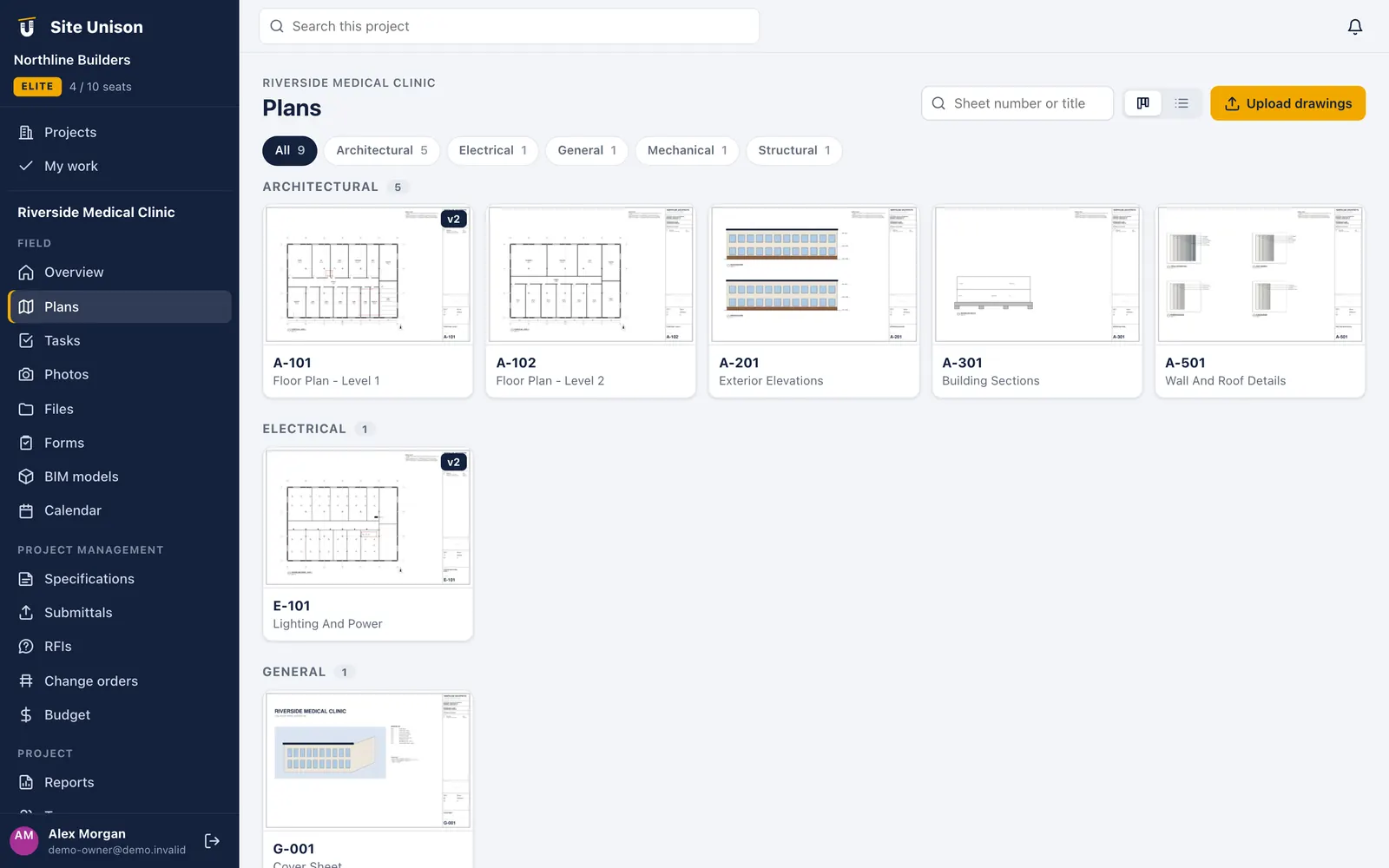
Upload a drawing set and Site Unison splits it into sheets, reads the sheet numbers and titles, and files them by discipline. Everyone opens the current version, on any device.
Disciplines
Filter by architectural, electrical, mechanical and structural.
Search
Find a sheet by number or title in a second.
Sheet management
Drop in the PDF set. We do the filing.
Large drawing sets are split page by page and each sheet is numbered and titled from the title block, then grouped as architectural, structural, mechanical, electrical and so on.
- Auto sheet numbers and titles. No more renaming 120 PDFs by hand.
- Versions. Upload Addendum 1 and the old sheet is kept as history; the new one becomes current.
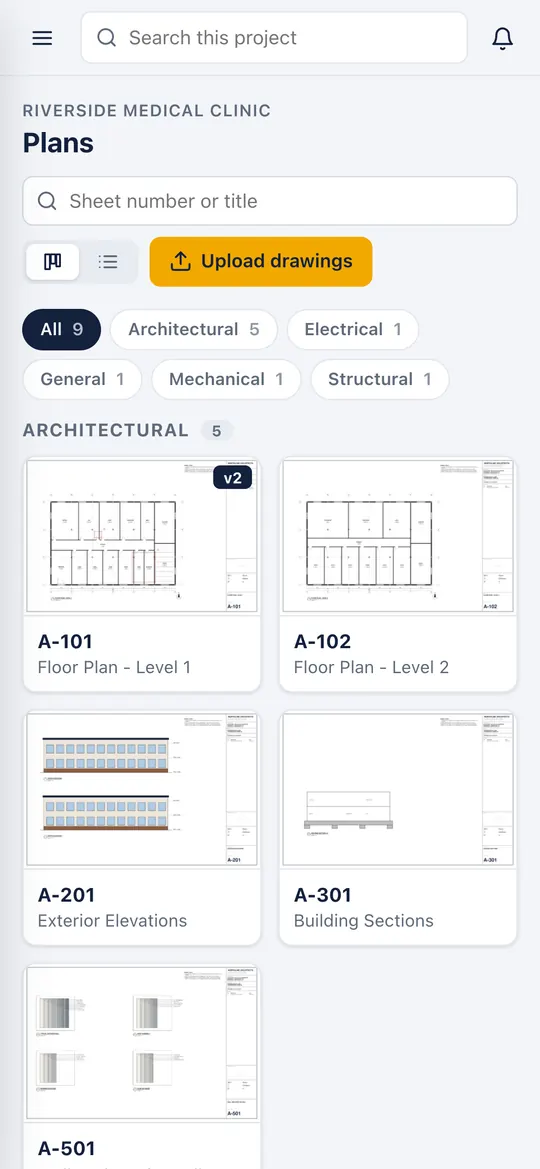
- Fast on any phone. Sheets are rendered for quick zoom and pan.
Markups and pins
Mark it up where it happens
Draw clouds, arrows, lines and text on any sheet. Pin tasks and photos to the exact spot, so the next person knows precisely which door, duct or footing it is about.
- Markups. Clouds, arrows, shapes and notes in colour. Pro.
- Task and photo pins. Tap the plan to create a task right there.
- Sheet compare. Overlay two versions and see what changed. Pro.
Pinned tasks
Open a pin to see the task, its checklist and photos.
Compare
See Addendum 1 against the IFC set in one view.
In the field
The current set in every pocket
Supers and foremen open the right sheet in a couple of taps, zoom to the detail and drop a task on it, without carrying a roll of drawings.
- Works on phones and tablets
- Discipline filters and sheet search
- Pins and markups visible in the field
Questions
Common questions
What files can I upload?
PDF drawing sets of any size. Each page becomes a sheet. You can also keep CAD and other files in the Files area.
Is plan viewing really free?
Yes. Uploading, viewing and pinning tasks to plans is included in Free. Markups and sheet compare are part of Pro and Elite.
What happens to old versions?
They stay in the sheet history. The newest upload becomes current everywhere, so nobody builds from a superseded sheet.
Works with
Related features
Tasks & punch lists
Assign, pin to the plan, add checklists and photos, and close from the phone. List or board.
Learn more →Site photos
Photos land on the right project, task and plan spot with date, time and GPS stamps, plus 360° walks.
Learn more →BIM viewer
Open IFC, glTF and OBJ models in the browser with section cuts and element properties.
Learn more →Run your next job in unison.
Start free in a minute with no credit card. Every new company gets 14 days of Elite, and you can add a sample project to explore before you load your own.